1. تعارف
خريد ڪرڻ لاءِ مهربانيasing the GOWENIC Smart Bluetooth Wall Amplifier. This device integrates a 2.8-inch HD touchscreen, Bluetooth connectivity, FM radio, and multi-format support into a compact wall-mounted unit, designed to power ceiling speakers and provide a versatile audio experience. This manual provides detailed instructions for installation, operation, and maintenance to ensure optimal performance and longevity of your ampوierيڪ زنده
2. حفاظت جي ڄاڻ
- انسٽاليشن ۽ آپريشن کان پهريان سڀ هدايتون احتياط سان پڙهو.
- بجليءَ جي جھٽڪي يا باهه جي خطرن کان بچڻ لاءِ انسٽاليشن هڪ قابل اليڪٽريشن طرفان ڪئي وڃي.
- ڊوائيس کي پاڻي، نمي، يا انتهائي گرمي پد جي سامهون نه آڻيو.
- اوور گرم ٿيڻ کان بچڻ لاءِ يونٽ جي چوڌاري مناسب وائيٽليشن کي يقيني بڻايو وڃي.
- صرف مخصوص پاور ذريعن ۽ لوازمات استعمال ڪريو.
- ڊوائيس کي پاڻ مرمت يا تبديل ڪرڻ جي ڪوشش نه ڪريو. قابل سروس اهلڪارن سان رابطو ڪريو.
- ٻارن جي پهچ کان پري رکو.
3. پيڪيج مواد
پڪ ڪريو ته هيٺ ڏنل سڀئي شيون توهان جي پيڪيج ۾ شامل آهن:
- 1 x Electrical Box
- 1 x Smart Bluetooth Wall Ampزندگي گذاريندڙ
- 1 x ريموٽ ڪنٽرول
- 1 x ھدايت وارو دستور
- 2 x اسڪرو
- 1 x اسڪوائر
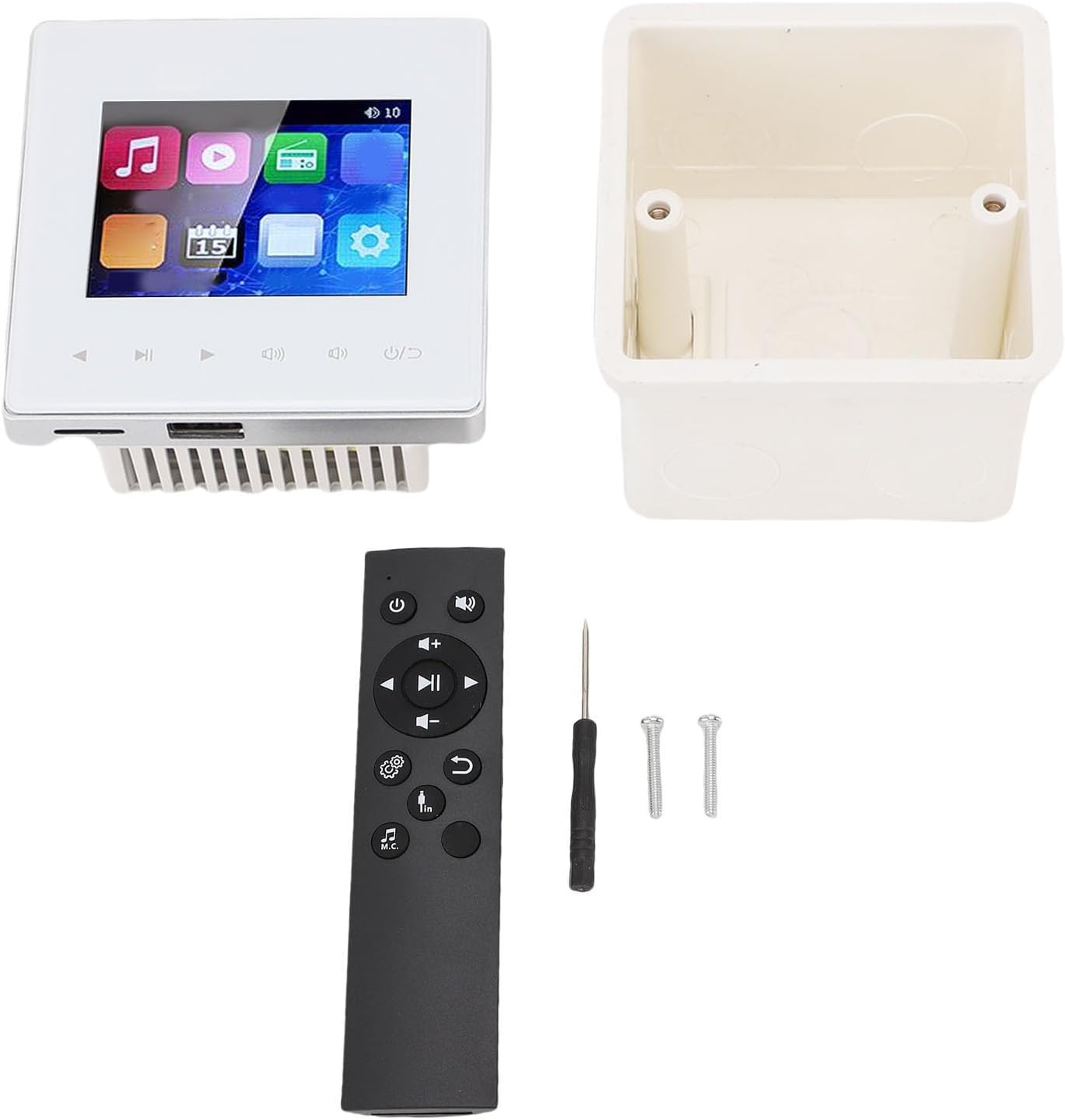
Image: Contents of the GOWENIC Smart Bluetooth Wall Ampلائفائر پيڪيج.
4. وضاحتون
| شيء جو قسم | Smart Bluetooth Wall Ampزندگي گذاريندڙ |
| مواد | المونيم مصر |
| لوڊشيڊنگ | 4-8 ohm |
| ٻاھر نڪرڻ جي طاقت | 2x20W، 4x25W |
| سگنل کان شور جي نسبت | ≥98dB |
| ايف ايم ريڊيو فريڪوئنسي | 87.5-108MHz |
| ريموٽ ڪنٽرول رينج | 10 ايم |
| ريموٽ ڪنٽرول بيٽري | 2 AAA بيٽريون (شامل نه آهن) |
| ميموري ڪارڊ سپورٽ | Maximum 32G (not included) |
| پيڪيج جي ماپ | 6.3 x 4.72 x 3.15 انچ |
| شيءِ جو وزن | 12.4 اونس |
5. تنصيب ۽ سيٽ اپ
The GOWENIC Smart Bluetooth Wall Amplifier is designed for in-wall installation. Professional installation is recommended.
5.1 وائرنگ ڊاگرام
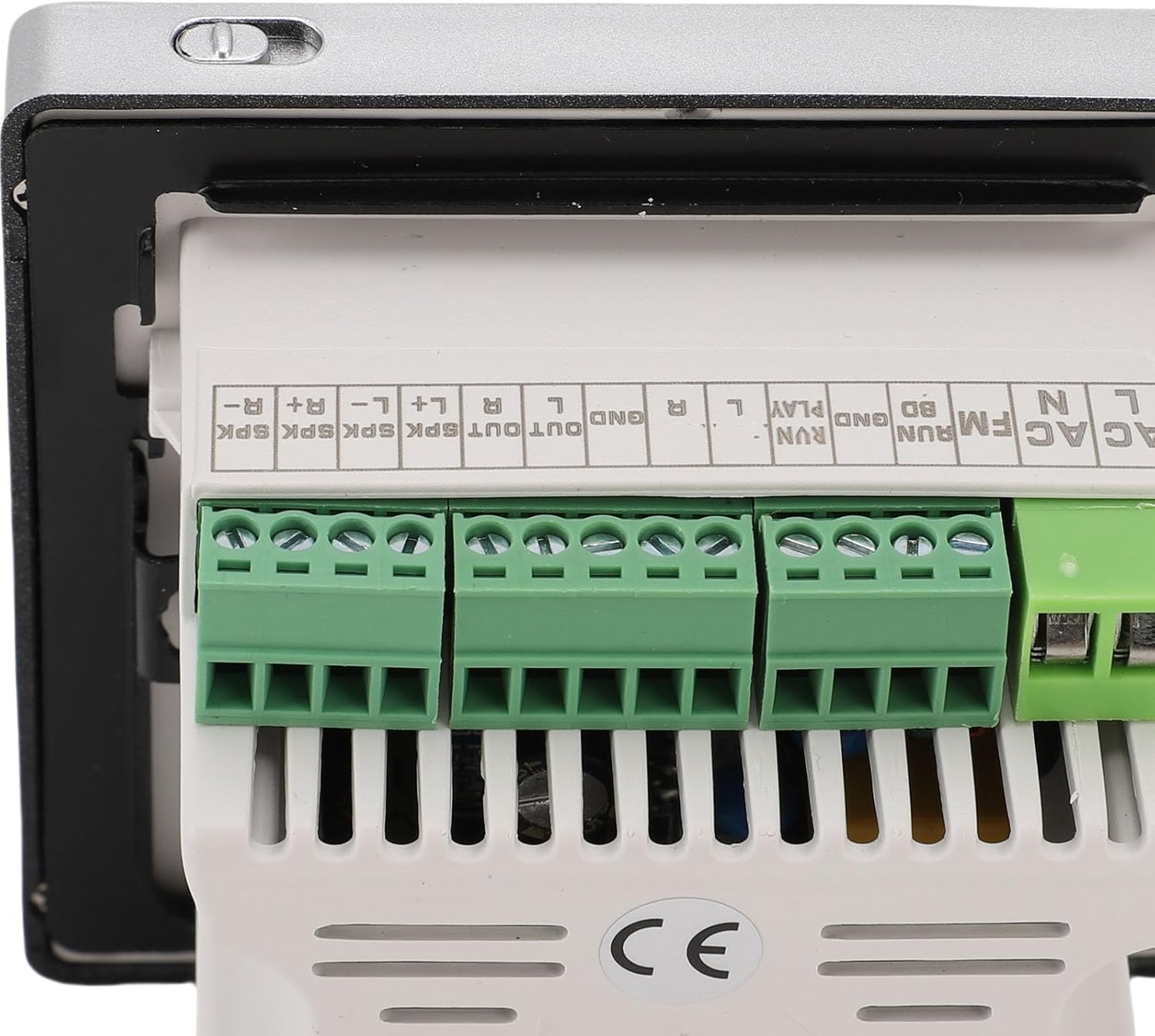
Refer to the following image for the wiring connections. Ensure all power is disconnected before beginning installation.
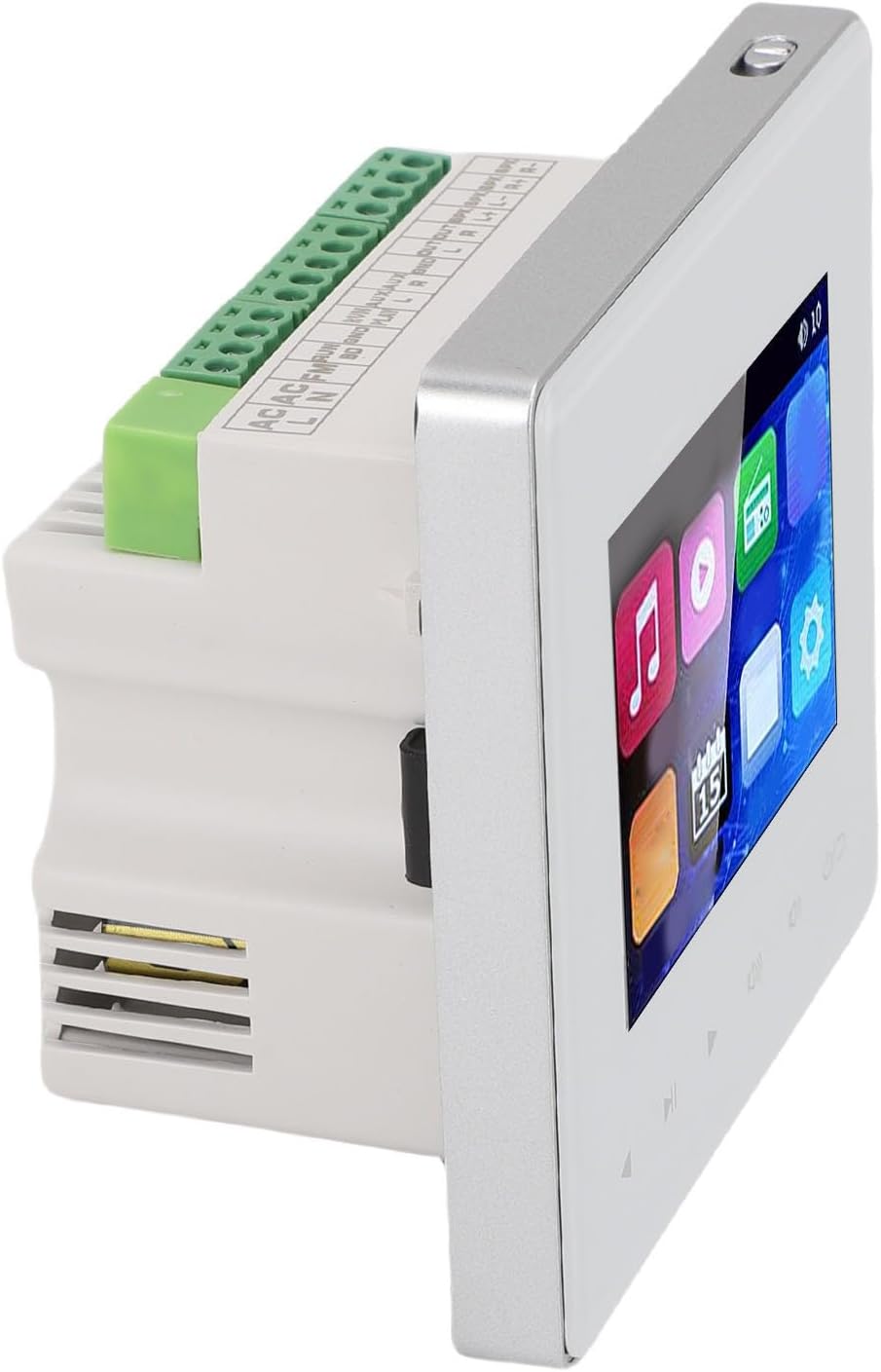
تصوير: پوئين پاسي view جو amplifier showing wiring terminals for power, FM, and speaker connections.
- AC پاور ان پٽ: Connect the AC power supply to the designated terminals (AC N, AC L).
- اسپيڪر جا نتيجا: Connect your ceiling speakers to the SPK OUT terminals. Ensure correct polarity (L+, L-, R+, R-). The amplifier supports 4-8 ohm speakers.
- ايف ايم انٽنا: Connect an FM antenna to the FM terminal for radio reception.
- External Audio Input (PLAY): Connect external audio sources (e.g., TV, computer) to the PLAY L, PLAY R, and GND terminals.
- External Audio Output (OUT): Connect to other audio devices if needed.
5.2 چڙهڻ
Install the electrical box into the wall cavity. Secure the amplifier unit into the electrical box using the provided screws and screwdriver after all wiring connections are made.
تصوير: دي amplifier and its electrical box, ready for installation.
6. آپريٽنگ هدايتون
جي amplifier features a 2.8-inch HD touchscreen for direct control and can also be operated via the included remote control or Bluetooth-connected devices.
6.1 ٽچ اسڪرين انٽرفيس
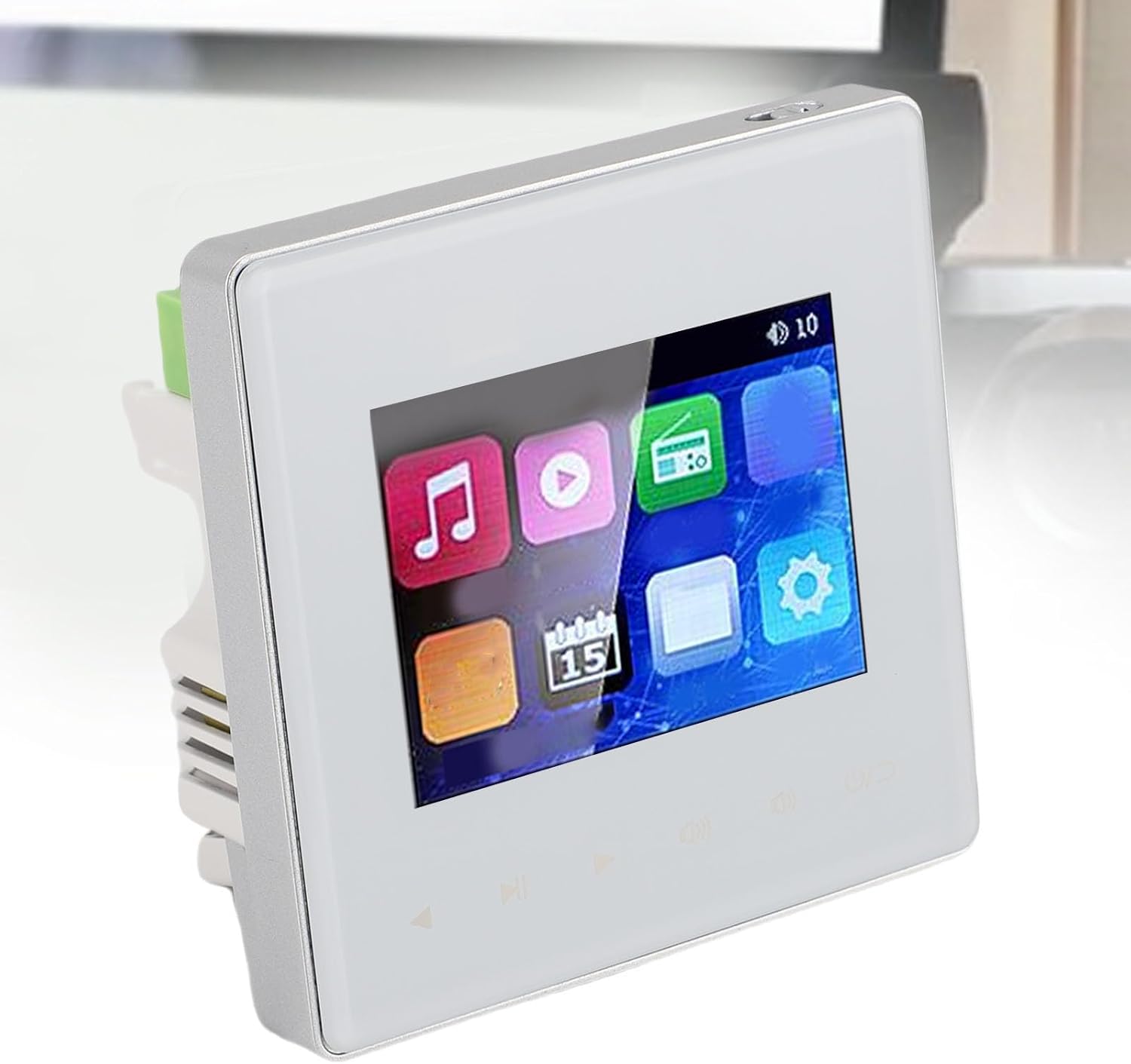
The touchscreen displays various icons for different functions, including music playback, video, FM radio, calendar, and settings. Navigate by tapping the icons.
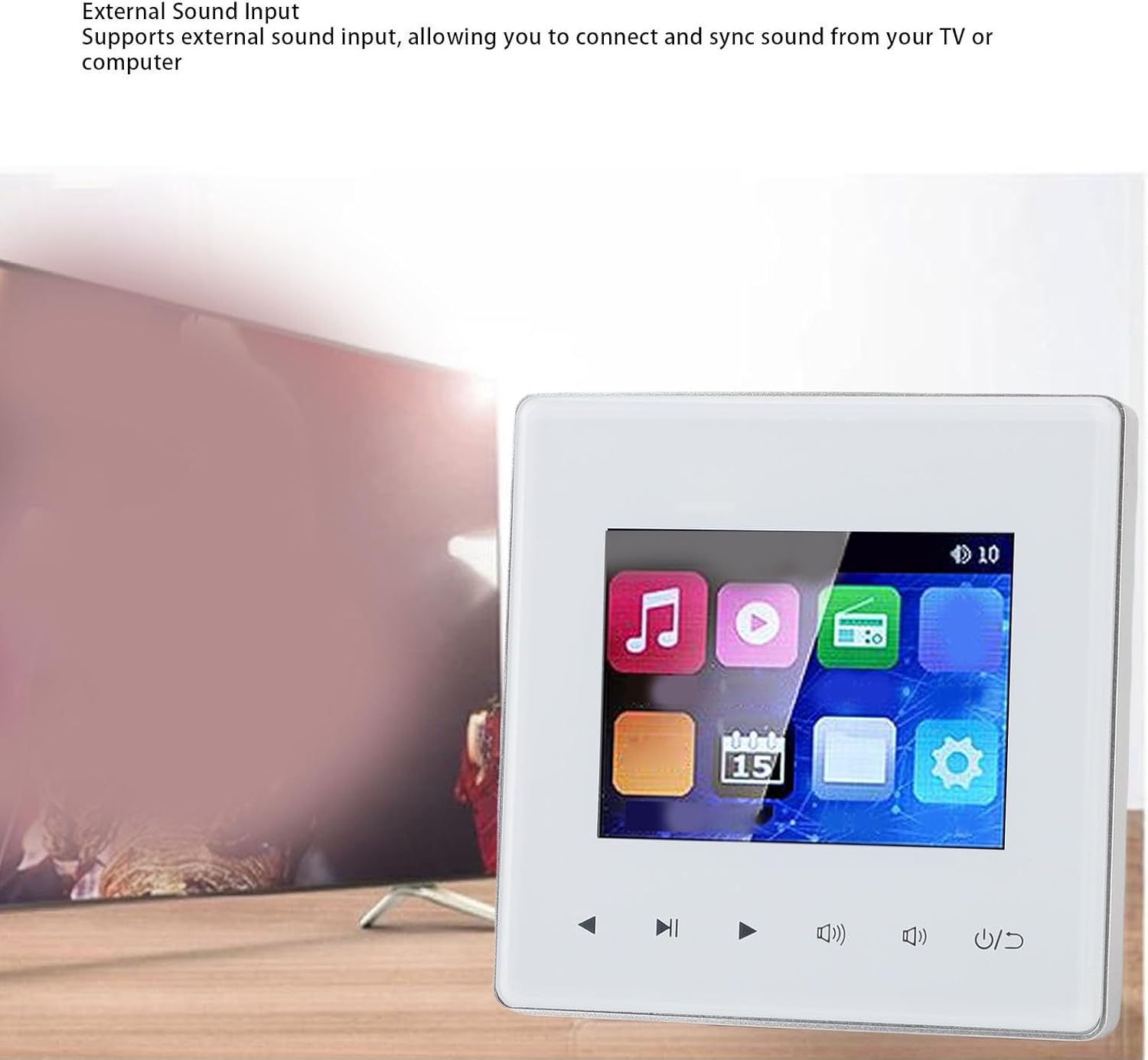
تصوير: دي amplifier's touchscreen interface.
6.2 بلوٽوٿ ڪنيڪشن
To connect an external Bluetooth device (e.g., smartphone, tablet):
- کي يقيني بڻايو amplifier's Bluetooth function is enabled (usually found in the settings menu).
- On your external device, search for available Bluetooth devices.
- منتخب ڪريو amplifier from the list (e.g., "GOWENIC Amplifier").
- هڪ دفعو جوڙيو ويو، توهان پنهنجي ڊوائيس کان وائرليس طور تي آڊيو اسٽريم ڪري سگهو ٿا ampوierيڪ زنده
Video: Demonstration of Bluetooth connectivity with the wall amplifier, showing a smartphone pairing with the device.
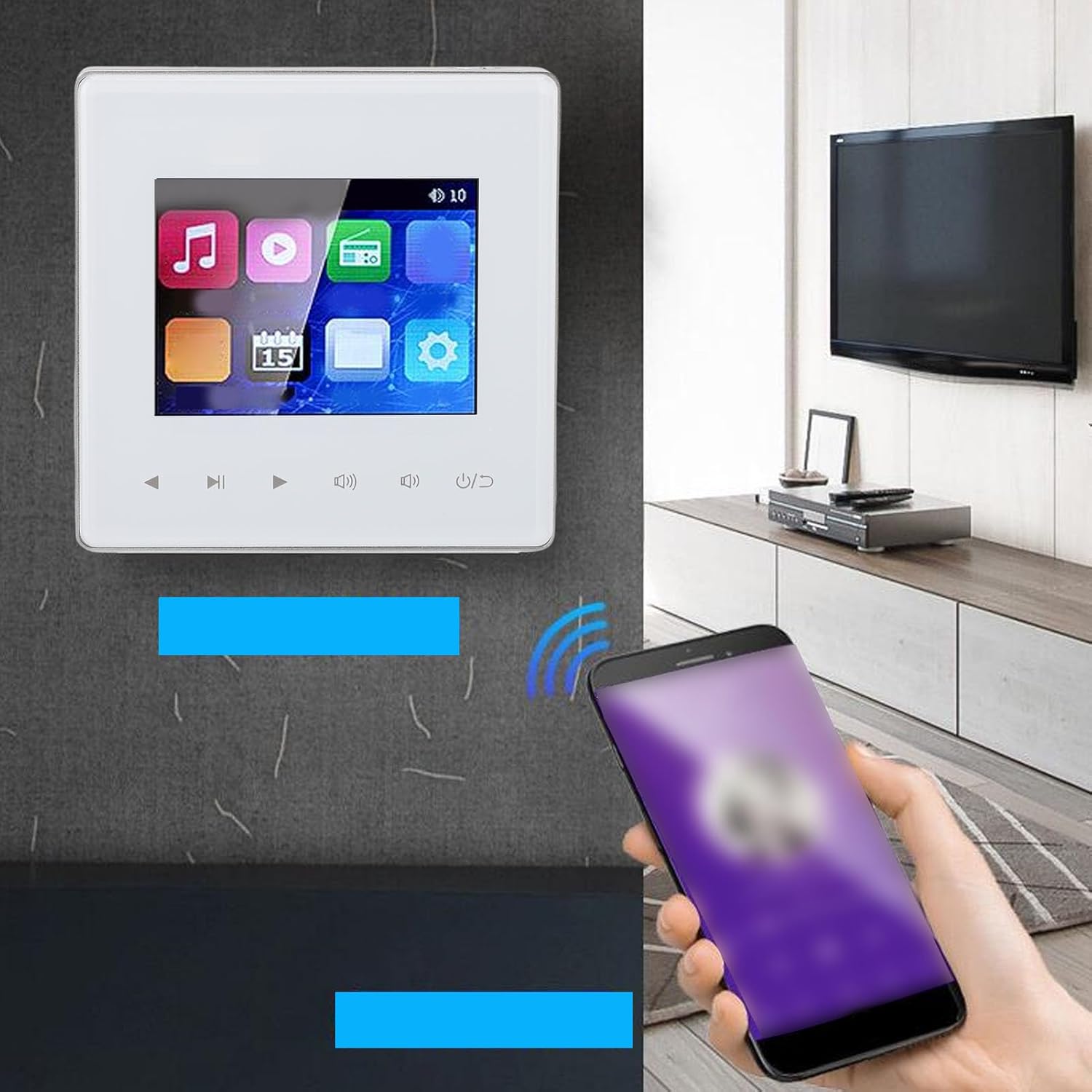
Image: The wall amplifier connected to a smartphone via Bluetooth.
6.3 ايف ايم ريڊيو
جي amplifier includes a built-in FM radio. To use:
- Ensure an FM antenna is connected to the ampوierيڪ زنده
- Select the FM radio icon on the touchscreen.
- Use the auto-scan function to find and save up to 30 radio stations.
- Tune to your desired station using the touchscreen controls or remote.
6.4 Multi-Format Support
جي amplifier supports various audio and video formats, including MP3, WAV, and MPEG. You can play media files from a connected memory card (up to 32GB, not included) or via external audio input.

تصوير: دي amplifier's interface showing media playback options.
6.5 External Sound Input
Connect external audio sources like a TV or computer to the amplifier using the designated audio input terminals (PLAY L, PLAY R, GND) as shown in the wiring diagram. Select the appropriate input source on the amplifier's touchscreen.

تصوير: Amplifier connected to an external sound source like a TV.
6.6 Timer Functionality
The timer function allows you to schedule automatic power on/off times for music playback.
- Access the timer settings through the amplifier's menu.
- Set desired "ON" and "OFF" times for music playback.
- Confirm your settings to activate the timer.
تصوير: Amplifier screen showing the timed music function settings.
تصوير: ٻيو view جو amplifier's screen showing the timed music function settings.
7. سار سنڀال
- صفائي: صاف ڪرڻ لاء نرم، سڪل ڪپڙو استعمال ڪريو amplifier's surface and touchscreen. Do not use liquid cleaners or abrasive materials.
- وينٽيليشن: پڪ ڪريو ته وينٽيليشن جا دروازا مٽي ۽ ملبي کان پاڪ آهن ته جيئن وڌيڪ گرم ٿيڻ کان بچي سگهجي.
- ريموٽ ڪنٽرول: جڏهن ريموٽ ڪنٽرول جي رينج يا ردعمل گهٽجي وڃي ته ان ۾ AAA بيٽريون تبديل ڪريو.
8. مسئلا حل ڪرڻ
| مسئلو | ممڪن سبب | حل |
|---|---|---|
| طاقت نه آهي | Power cable disconnected; circuit breaker tripped | Check power connections; reset circuit breaker |
| .الهائيندڙن مان آواز ڪونهي | Speaker wires loose; incorrect input selected; volume too low | Check speaker connections; select correct input source; increase volume |
| بلوٽوٿ ڳنڍي نه ٿو | Bluetooth not enabled; device too far; amplifier not in pairing mode | Enable Bluetooth on both devices; move device closer; restart amplifier and try pairing again |
| خراب ايف ايم ريڊيو استقبال | اينٽينا ڳنڍيل نه آهي يا خراب پوزيشن ۾ آهي | Ensure FM antenna is securely connected and reposition for better signal |
| ريموٽ ڪنٽرول ڪم نه ڪري رهيو آهي | Dead batteries; obstruction between remote and ampزندگي گذاريندڙ | Replace AAA batteries; ensure clear line of sight to amplifier's IR receiver |
9. وارنٽي ۽ سپورٽ
For warranty information and technical support, please refer to the documentation provided at the time of purchase or contact your retailer. GOWENIC may offer additional support resources on their official webسائيٽ.