تعارف
This manual provides detailed instructions for the safe and efficient use of your Monster S290 Portable Bluetooth Speaker. Please read this manual thoroughly before operating the device and retain it for future reference.
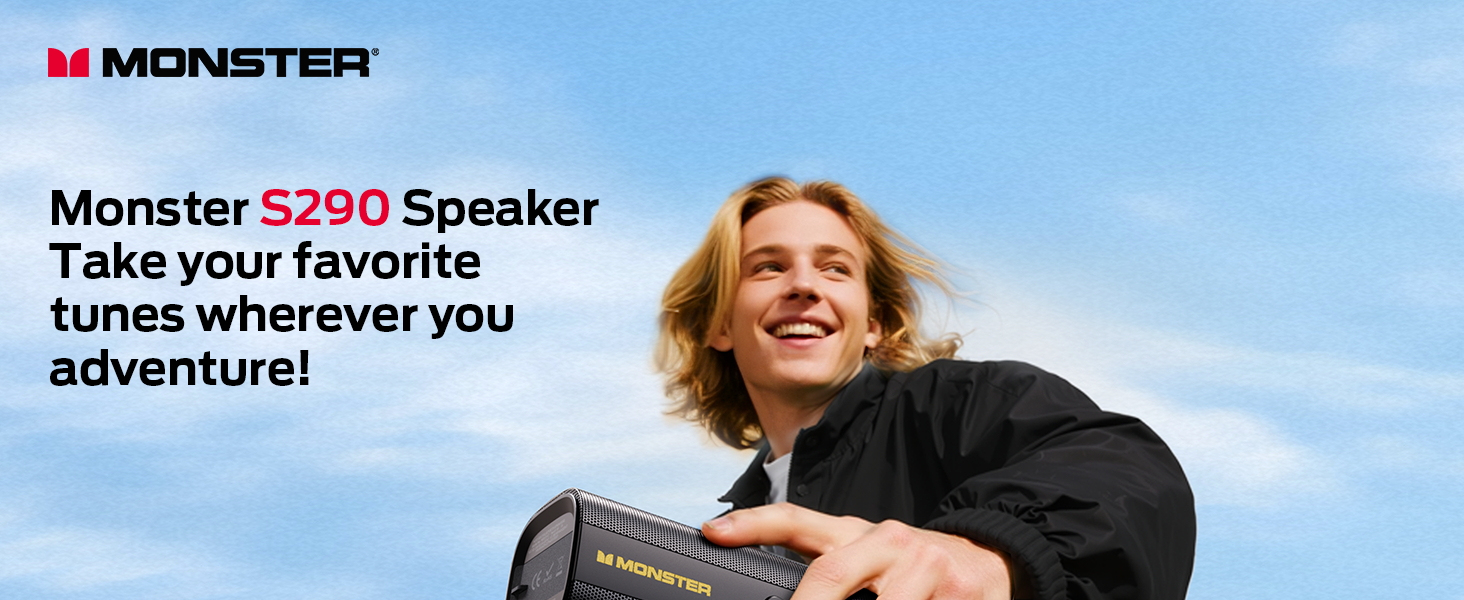
Image: The Monster S290 Portable Bluetooth Speaker in an outdoor setting, highlighting its portability.
پيڪيج مواد
پڪ ڪريو ته سڀئي شيون انباڪسنگ تي موجود آهن:
- Monster S290 Speaker x1
- AUX IN Cable x1
- USB-C چارجنگ ڪيبل x1
- Quick Start Guide & Warning Card x1
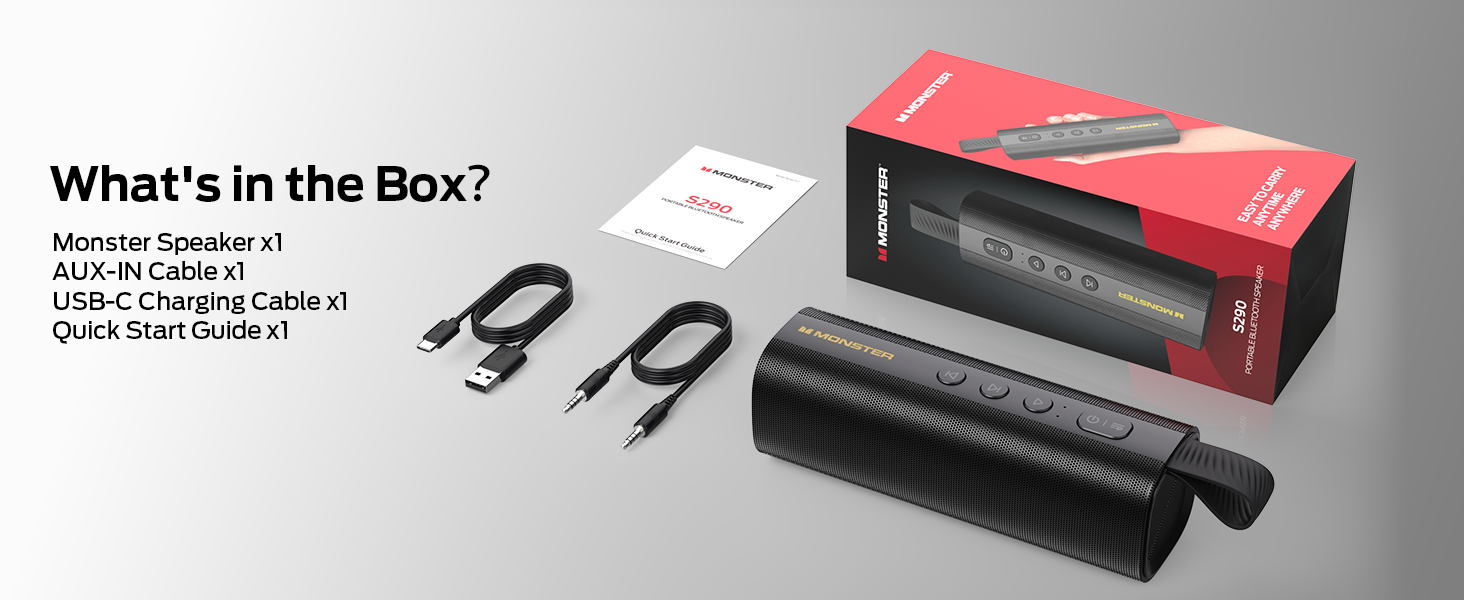
Image: All components included in the Monster S290 package.
پيداوار جون خاصيتون
- 30W Powerful Audio: Delivers crisp highs and deep bass.
- بلوٽوٽ 6.0: Ensures faster pairing, stable connection, and extended range.
- TWS جوڙو: Connect two S290 speakers for a stereo sound experience.
- 15-ڪلاڪ راند جو وقت: Enjoy extended music playback on a single charge.
- Type-C Fast Charge: جلدي ۽ آسان ري چارجنگ.
- IPX6 پنروڪ: Resistant to splashes, sweat, and rain, suitable for outdoor use.
- پورٽبل ڊيزائن: Lightweight with a soft-touch silicone strap for easy carrying.
- گھڻا ان پٽ انٽرفيس: Supports AUX, TF card, and USB playback.
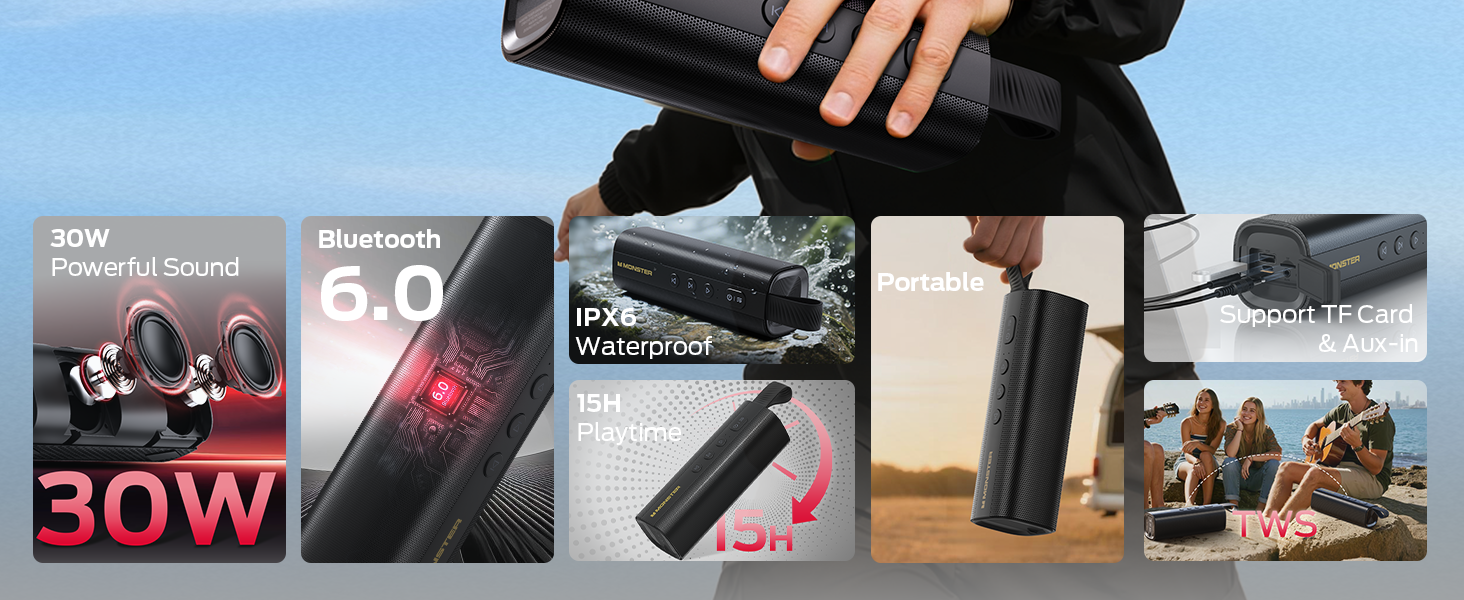
Image: Visual representation of the Monster S290's key features.
سيٽ اپ گائيڊ
1. اسپيڪر کي چارج ڏيڻ
Before first use, fully charge the speaker using the provided USB-C charging cable. The charging indicator light will show the charging status.
- Connect the USB-C cable to the speaker's charging port.
- ڪيبل جي ٻئي ڇيڙي کي هڪ مطابقت رکندڙ USB پاور اڊاپٽر سان ڳنڍيو (شامل نه آهي).
- مڪمل چارج ٿيڻ ۾ عام طور تي 3-4 ڪلاڪ لڳن ٿا.
2. پاور آن/آف
- پاور آن ڪرڻ لاءِ، دٻايو ۽ رکو پاور بٽڻ (
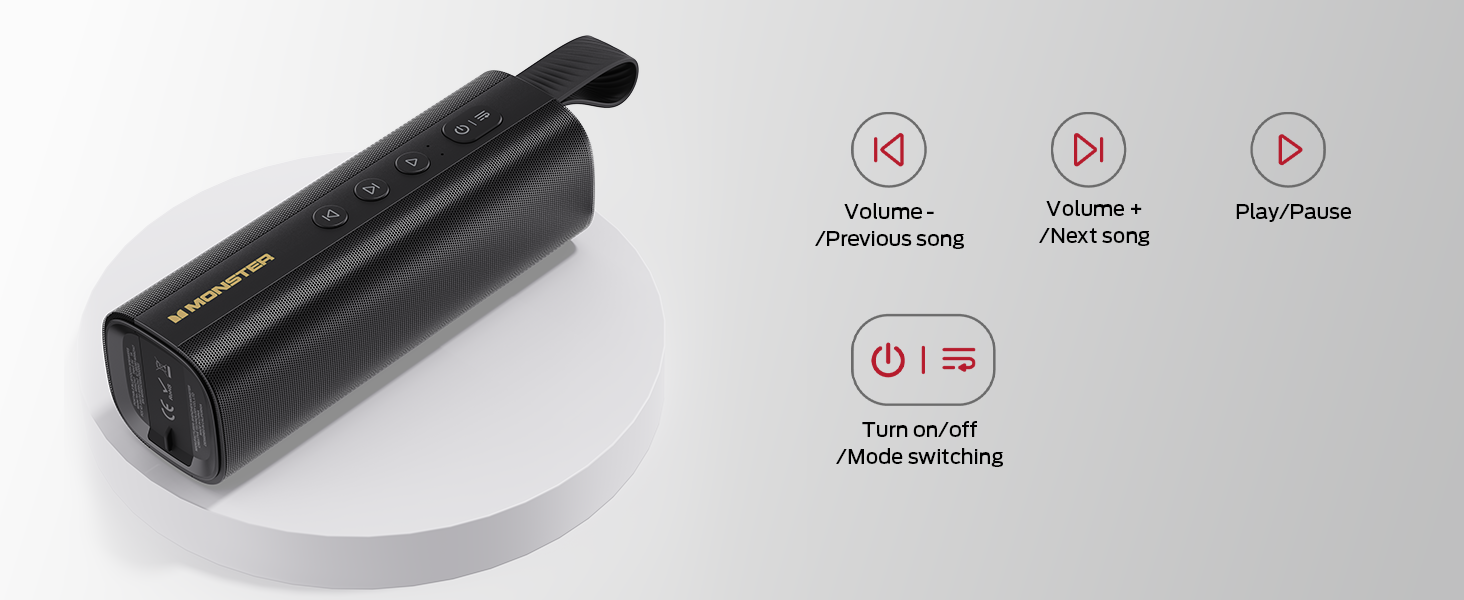 ) 2-3 سيڪنڊن لاءِ جيستائين توهان هڪ ٻڌڻ وارو پرامپٽ نه ٻڌو ۽ LED اشارو روشن ٿئي.
 - بجلي کي بند ڪرڻ لاءِ ، دٻايو ۽ رکو پاور بٽڻ ٻيهر 2-3 سيڪنڊن لاءِ.
Image: Close-up of the speaker's control panel, illustrating button functions.
3. بلوٽوٽ جوئر
The speaker will automatically enter Bluetooth pairing mode when powered on for the first time or if no device is connected. The LED indicator will flash blue.
- پڪ ڪريو ته اسپيڪر آن آهي ۽ پيئرنگ موڊ ۾ آهي.
- پنهنجي ڊوائيس (اسمارٽ فون، ٽيبليٽ، ليپ ٽاپ) تي، بلوٽوٿ کي فعال ڪريو.
- ڳولھيو "Monster S290" in the list of available devices and select it to connect.
- هڪ دفعو ڳنڍيل ٿيڻ کان پوءِ، توهان کي هڪ ٻڌڻ ۾ ايندڙ تصديق ٻڌڻ ۾ ايندي، ۽ LED اشارو مضبوط نيرو ٿي ويندو.
Video: Demonstration of the speaker's main functions, including power-on, Bluetooth pairing, and volume control.
4. ٽرو وائرليس اسٽيريو (TWS) پيئرنگ
For an enhanced stereo experience, you can pair two Monster S290 speakers together.
- Ensure both S290 speakers are powered on and not connected to any Bluetooth device.
- هڪ اسپيڪر تي (هي پرائمري اسپيڪر هوندو)، دٻايو ۽ رکو TWS بٽڻ (often indicated by an 'M' or a chain link icon, refer to your quick start guide for exact icon) for 2-3 seconds.
- The primary speaker will search for the secondary speaker. Once connected, you will hear an audible prompt.
- Now, connect your device to the primary speaker via Bluetooth as described in step 3. Both speakers will play audio in stereo.
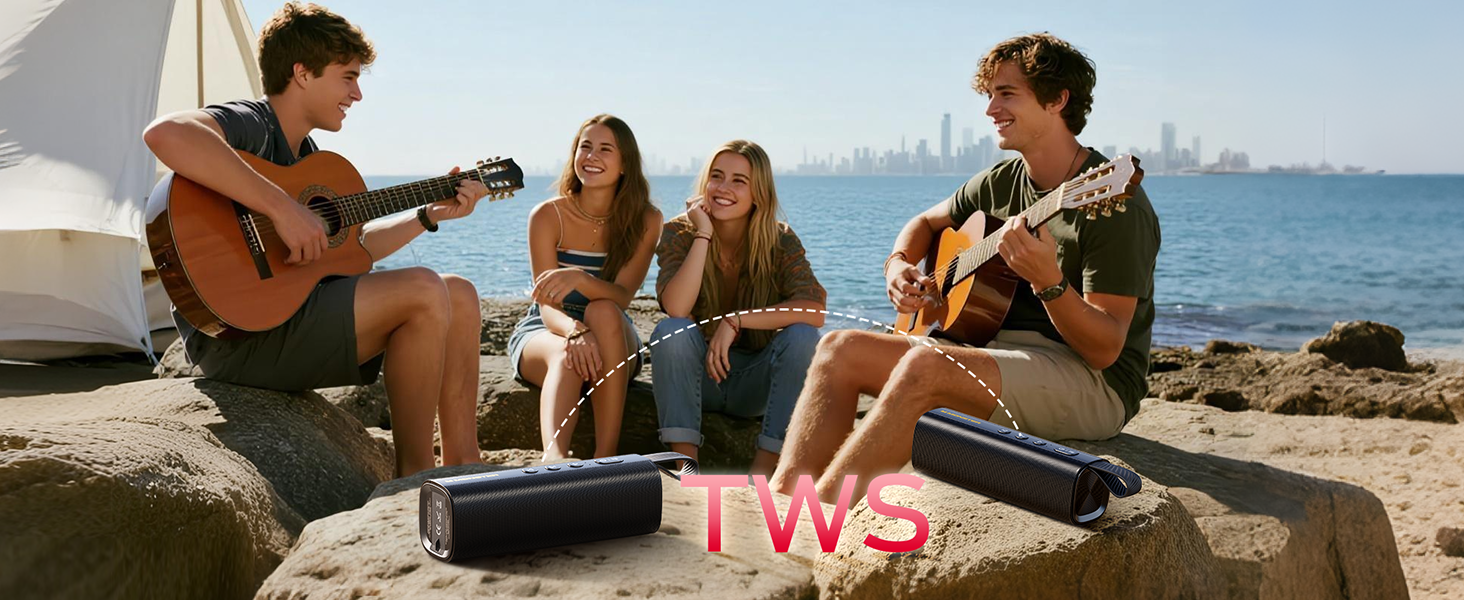
Image: Two Monster S290 speakers demonstrating True Wireless Stereo (TWS) pairing.
5. Connecting via AUX, TF Card, or USB
The speaker supports multiple input options:
- AUX ان پٽ: Connect an audio device using the provided 3.5mm AUX cable to the AUX port. The speaker will automatically switch to AUX mode.
- TF ڪارڊ پلے بیک: آڊيو سان گڏ هڪ TF (مائڪرو ايس ڊي) ڪارڊ داخل ڪريو files into the TF card slot. The speaker will automatically begin playing music from the card.
- USB پلے بیک: آڊيو سان گڏ USB فليش ڊرائيو داخل ڪريو files into the USB port. The speaker will automatically begin playing music from the USB drive.
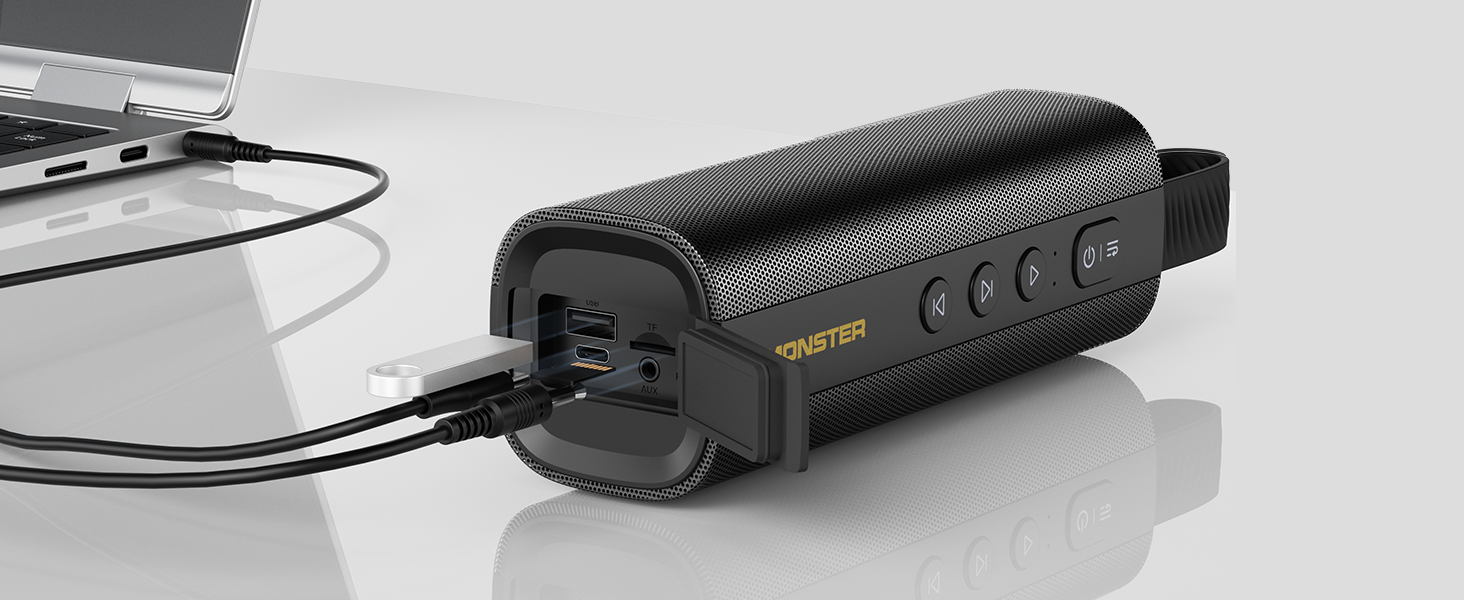
Image: The speaker's input panel with AUX, TF card, and USB ports.
آپريٽنگ هدايتون
بٽڻ افعال
- پاور بٽڻ (): Press and hold to power on/off. Short press to switch between input modes (Bluetooth, AUX, TF Card, USB).
- راند/روڪ بٽڻ (): موسيقي کي هلائڻ يا روڪڻ لاءِ مختصر پريس.
- آواز گھٽايو / پوئين ٽريڪ بٽڻ (): حجم گهٽائڻ لاءِ مختصر دٻايو. پوئين ٽريڪ تي وڃڻ لاءِ ڊگهو دٻايو.
- حجم وڌايو / ايندڙ ٽريڪ بٽڻ (): حجم وڌائڻ لاءِ مختصر دٻايو. ايندڙ ٽريڪ تي وڃڻ لاءِ ڊگهو دٻايو.
- TWS Button (M): Press and hold to initiate TWS pairing (refer to TWS Pairing section).
هينڊ فري ڪالنگ
جڏهن بلوٽوٿ ذريعي ڳنڍيل هجي، ته بلٽ ان مائڪروفون هٿ کان سواءِ ڪال ڪرڻ جي اجازت ڏئي ٿو:
- جواب ڏيو ڪال: مختصر دٻايو Play/Pause بٽڻ.
- ڪال ختم ڪريو: مختصر دٻايو Play/Pause بٽڻ هڪ ڪال دوران.
- ڪال رد ڪريو: ڊگھو دٻايو Play/Pause بٽڻ.
سار سنڀال
- Keep the speaker away from extreme temperatures, direct sunlight, and corrosive materials.
- اسپيڪر کي نرم، ڊي سان صاف ڪريوamp ڪپڙو. استعمال نه ڪريو سخت ڪيميائي يا گھڻائي صاف ڪندڙ.
- Ensure the charging port cover is securely closed when not charging to maintain IPX6 water resistance.
- اسپيڪر کي ٿڌي، سڪل جاءِ تي رکو جڏهن گهڻي عرصي تائين استعمال ۾ نه هجي.

Image: The Monster S290 speaker showcasing its IPX6 water-resistant feature.
مشڪلاتون
| مسئلو | حل |
|---|---|
| اسپيڪر پاور آن نٿو ٿئي. | پڪ ڪريو ته اسپيڪر چارج ٿيل آهي. USB-C ڪيبل استعمال ڪندي ان کي پاور سورس سان ڳنڍيو. |
| بلوٽوٿ ذريعي جوڙي نه ٿو سگهجي. |
|
| ڪابه آواز يا گهٽ آواز ناهي. |
|
| TWS جوڙڻ ناڪام ٿيو. |
|
وضاحتون
| خاصيت | تفصيل |
|---|---|
| ماڊل نالو | مونسٹر S290 |
| مواد | پلاسٽڪ |
| اسپيڪر جو قسم | ٻاھران |
| اسپيڪر وڌ ۾ وڌ آئوٽ پاور | 30 واٽ |
| وائرليس ڪميونيڪيشن ٽيڪنالاجي | بلوٽوٿ 6.0 |
| رابطي ٽيڪنالاجي | معاون، بلوٽوٿ، يو ايس بي |
| آڊيو آئوٽ پٽ موڊ | اسٽيريو |
| چوڌاري آواز چينل جي جوڙجڪ | 2.0 |
| خاص خاصيتون | Portable, 30W Loud Stereo Sound, Support AUX/TF Card, Bluetooth 6.0, True Wireless Stereo, Built-in Mic, 15H Playtime, Hands-Free Calling, IPX6 Waterproof, Skin-Friendly Touch |
| طاقت جو ذريعو | بيٽري سان هلندڙ |
| بيٽري | 1 AAA batteries required (included) - Note: This is likely a generic entry; the speaker features an internal rechargeable battery. |
| ڪنٽرول جو طريقو | ڇڪڻ |
| پيداوار جي ماپ | 6D x 18.2W x 6H سينٽي ميٽر |
| شيءِ جو وزن | 490 جي |
| پنروڪ آهي | True (IPX6) |
وارنٽي ۽ سپورٽ
The Monster S290 Portable Bluetooth Speaker comes with a Limited Warranty. Please refer to the included "Quick Start Guide & Warning Card" for specific warranty terms and conditions. For further support, please contact Monster customer service.


