تعارف
This manual provides detailed instructions for the installation, operation, and maintenance of your Hodozzy Car Radio. This unit is specifically designed for Ford Ecosport models from 2013 to 2017, featuring a 9-inch In-Cell touchscreen, Android operating system, and integrated navigation capabilities. Please read this manual thoroughly before installation and use to ensure proper functionality and safety.
اهم خاصيتون:
- Android Operating System (Android 15)
- 9-inch In-Cell Touchscreen (1280x720 resolution)
- 4GB رام + 64GB روم
- وائرليس ڪار پلي ۽ Android آٽو
- Mirror Link (iOS/Android)
- بلٽ ان GPS نيويگيشن
- وائي فائي رابطو
- Bluetooth Hands-free Calling & Music Streaming
- Digital Sound Processor (DSP) with 36-band EQ
- ايف ايم/آر ڊي ايس ريڊيو
- ريڙهه View Camera Input (AHD/CVBS)
- اسٽيرنگ ويل ڪنٽرول مطابقت
- اسپلٽ اسڪرين جي ڪارڪردگي
سيٽ اپ ڪريو
پيڪيج مواد
پڪ ڪريو ته هيٺ ڏنل سڀئي شيون توهان جي پيڪيج ۾ شامل آهن:
- 1 x Dash-in Kit
- 1 x ڪار پليئر (مين يونٽ)
- 1 x پاور ڪيبل
- 1 x GPS اينٽيننا
- 1 x Cable for Rear View ڪئميرا
- 1 x RCA ڪيبل
- 2 x USB ڪيبل
- 2 ايڪس بریکٹ
- 4 x اسڪرو
- 1 x استعمال ڪندڙ دستياب (هي دستاويز)
- 1 x پوئتي View ڪئميرا
- 1 x مائڪروفون
- 1 x ڪينبس
- 1 ايڪس انسٽاليشن جو اوزار

تصوير: مٿانview of the Hodozzy car radio package contents, showing the main unit, various cables (power, RCA, USB, camera), GPS antenna, microphone, installation tools, and the included rear view ڪئميرا.
تنصيب
پيشيورانه انسٽاليشن جي سفارش ڪئي وئي آهي. انسٽاليشن شروع ڪرڻ کان اڳ پڪ ڪريو ته گاڏي جي بيٽري ڊسڪنيڪٽ ٿيل آهي.
- اصل ريڊيو هٽايو: موجوده ڪار ريڊيو ۽ ڊيش بورڊ ٽرم کي احتياط سان هٽايو.
- وائرنگ هارنس سان ڳنڍيو: Connect the provided power cable and Canbus to the vehicle's wiring harness.
- Special Note for SYNC Function: If your original Ford Ecosport vehicle is equipped with a SYNC function, the dedicated SYNC interface on the wiring harness must be connected. If your vehicle does not have the SYNC function, this power interface does not need to be connected and has no other function or purpose.
- پردي سان ڳنڍڻ: Connect the GPS antenna, rear view camera cable, USB cables, and microphone to the corresponding ports on the car radio unit.
- چڙهڻ: Secure the car radio unit into the dashboard using the provided brackets and screws.
- ٽيسٽ ڪارڪردگي: Before fully reassembling the dashboard, reconnect the vehicle's battery and perform a basic test of the radio's functions.
- ٻيهر گڏ ڪرڻ: Once confirmed working, reassemble the dashboard trim.

Image: Wiring diagram highlighting the connection point for vehicles equipped with the Ford SYNC function, showing the specific connector and its location on the vehicle's control panel.
آپريٽنگ هدايتون
يوزر انٽرفيس ۽ ڊسپلي
The unit features a 9-inch In-Cell touchscreen with a resolution of 1280x720. The In-Cell technology provides a thinner frame, deeper blacks, and a sharper touch response. The Android operating system offers multiple user interfaces (UIs) to choose from, allowing customization of your home screen apps.
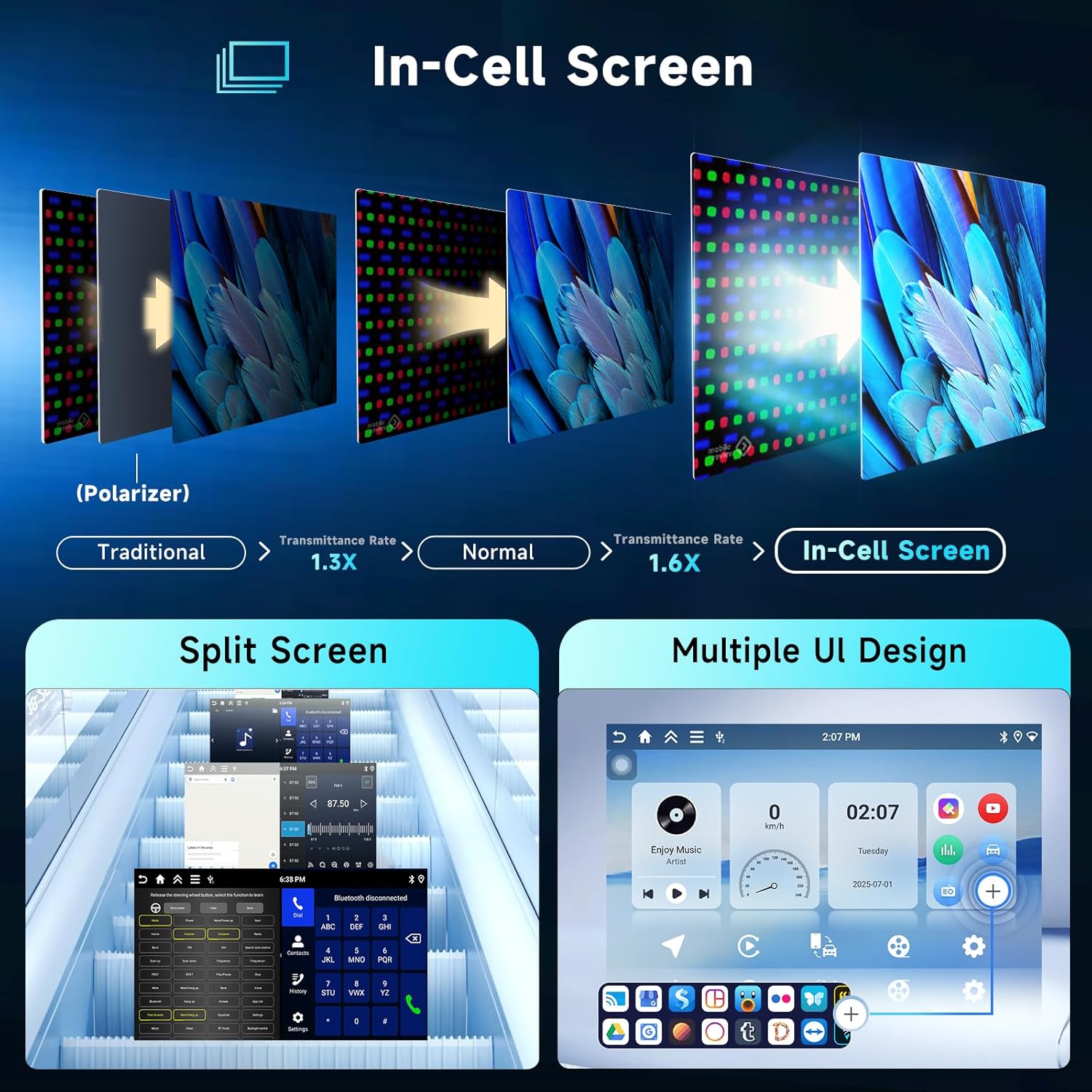
Image: Visual explanation of In-Cell screen technology benefits, demonstrating split-screen functionality and various customizable user interface designs available on the car radio.
نيويگيشن
The car radio comes with integrated offline maps. To download map data for offline use, an internet connection is required. You can also use online navigation applications by connecting the unit to a WiFi hotspot.
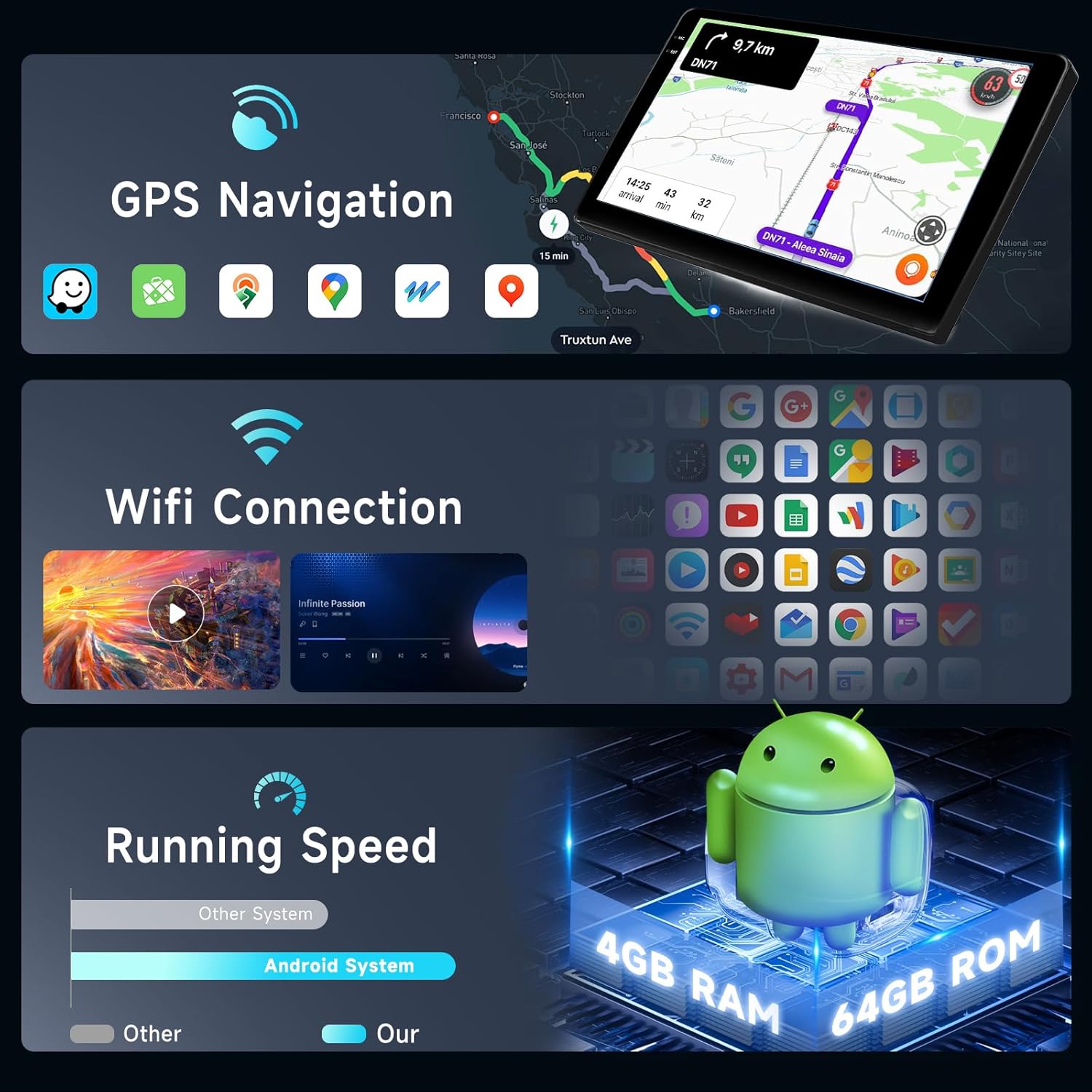
Image: Display showing GPS navigation interface with map data and a section illustrating WiFi connection status and available networks.
رابطي
- وائرليس ڪار پلي ۽ اينڊرائيڊ آٽو: Connect your smartphone wirelessly via Bluetooth or using a USB cable for CarPlay (iOS) or Android Auto (Android). This allows access to navigation, messages, phone calls, and music directly from your car radio screen.
- آئيني لنڪ: Supports both wireless (Airplay for iOS) and wired (USB cable for Android) mirror link functionality, displaying your phone's screen on the car radio.
- بلوٽوٿ: Built-in Bluetooth with A2DP supports hands-free calling, phonebook synchronization, and audio streaming from your mobile device.
- وائي فائي هٽ اسپاٽ: Connect the unit to a mobile hotspot or local WiFi network to access online features, download apps, and use online maps.

Image: Graphical representation of CarPlay, Android Auto, and Mirror Link functionalities, showing smartphone screens mirrored or integrated with the car radio display.
آڊيو خاصيتون
- ڊي ايس پي (ڊجيٽل سائونڊ پروسيسر): The integrated DSP features a 36-band equalizer, allowing precise audio customization. Various preset styles (Rock, Pop, Jazz, Classic) are available.
- ايف ايم/آر ڊي ايس ريڊيو: High-quality radio tuner for FM and RDS (Radio Data System) reception.
- Ampزنده: Built-in 4 x 45W amplifier with subwoofer output.

Image: Composite image displaying the DSP equalizer interface, Bluetooth calling screen, Bluetooth music playback, a view from the rear camera, FM/RDS radio interface, and steering wheel control buttons.
ٻيا افعال
- ريڙهه View ڪئميرا: Supports AHD/CVBS input for the included rear view ڪئميرا، هڪ صاف مهيا ڪندي view جڏهن ڦيرايو.
- اسٽيئرنگ ويل ڪنٽرول: آسان آپريشن لاءِ توهان جي گاڏي جي اسٽيئرنگ ويل ڪنٽرول سان مطابقت رکندڙ.
- ورهايل اسڪرين: Allows two applications to be displayed side-by-side on the screen simultaneously.
- USB سپورٽ: Dual USB interfaces support various audio (APE/FLAC/WAV/MP3/WMA) and video (MKV/RMVB/AVI/MP4/MDV) formats.
- فيڪٽري ڊفالٽ پاسورڊ: The factory default password for system settings is 1234.
سار سنڀال
- صفائي: اسڪرين ۽ يونٽ کي صاف ڪرڻ لاءِ نرم، سڪل ڪپڙو استعمال ڪريو. رگڙيندڙ صاف ڪندڙن يا محلولن کان پاسو ڪريو.
- سافٽ ويئر اپڊيٽ: Periodically check for software updates through the system settings or Hodozzy's official support channels to ensure optimal performance and access to new features.
- گرمي پد: Operate the unit within the specified temperature range (-20°C to 70°C) to prevent damage.
مشڪلاتون
| مسئلو | ممڪن سبب | حل |
|---|---|---|
| يونٽ پاور نه آهي. | بجلي جو ڪنيڪشن ڍلو، فيوز ڦاٽل، غلط وائرنگ. | Check power cable connections. Inspect vehicle's fuse box and unit's fuse. Verify wiring according to installation instructions. |
| ڳالهائيندڙن مان ڪوبه آواز ناهي. | آواز تمام گهٽ آهي، خاموشي چالو آهي، غلط اسپيڪر وائرنگ، ampلفافي جو مسئلو. | Increase volume. Check if unit is muted. Verify speaker connections. Ensure external amplifier (if used) is powered. |
| GPS سگنل گم ٿي ويو يا غلط. | GPS antenna not properly connected or obstructed, poor satellite reception. | Ensure GPS antenna is securely connected and placed in an unobstructed location (e.g., dashboard). Move to an open area for better signal. |
| بلوٽوٿ ڪنيڪشن جا مسئلا. | Device not discoverable, incorrect pairing, interference. | Ensure Bluetooth is enabled on both devices. Delete previous pairings and re-pair. Move devices closer. Restart both devices. |
| ريڙهه view ڪئميرا نه ڏيکاري رهيو آهي. | Camera cable loose, incorrect camera input selected, camera power issue. | پوئتي چيڪ ڪريو view camera cable connection. Ensure the camera is receiving power. Verify the correct camera input is selected in settings. |
| ٽچ اسڪرين غير جوابي. | سسٽم منجمد، عارضي سافٽ ويئر جي خرابي. | Restart the unit (refer to your vehicle's manual for how to safely power cycle the accessory). If issue persists, contact support. |
وضاحتون
| خاصيت | تفصيل |
|---|---|
| سسٽم | Android 15 |
| چپ سيٽ | آر ڪي 3326 ايس |
| MCU | G0001ALT |
| اسڪرين جي ماپ | 9 inch In-Cell Touchscreen |
| اسڪرين جي قرارداد | 1280 × 720 |
| ياداشت | 4GB رام + 64GB روم |
| ريڊيو چپ | UMW2652 |
| ٻاھر نڪرڻ جي طاقت | 4 x 45 W (Amplifier Chip: YD7388) |
| آپريٽنگ جلدtage | 9V-16V |
| آپريٽنگ جي درجه حرارت | -20°C کان 70°C |
| ريڊيو بينڊ | FM/RDS |
| وڊيو آئوٽ | حمايت ڪئي |
| ريڙهه View ڪئميرا ان پٽ | اي ايڇ ڊي/سي وي بي ايس |
| USB انٽرفيس | ٻٽي USB |
| آڊيو فارميٽ | APE/FLAC/WAV/MP3/WMA وغيره. |
| وڊيو فارميٽ | MKV/RMVB/AVI/MP4/MDV وغيره. |
| تصويري فارميٽ | PNG/JPEG/JPG/GIF/WBMP/BNP وغيره. |
| پيڪيج جي ماپ | 47.7 x 28.6 x 20.7 سينٽي |
| شيءِ جو وزن | 1.1 ڪلو |
وارنٽي ۽ سپورٽ
وارنٽي ڄاڻ
Please refer to your purchase documentation or the Hodozzy official website for detailed warranty terms and conditions applicable to your product.
ڪسٽمر سپورٽ
For technical assistance, troubleshooting beyond this manual, or warranty claims, please contact Hodozzy customer support through their official webسائيٽ يا توهان جي خريداري سان مهيا ڪيل رابطي جي معلومات.


