تعارف
This manual provides detailed instructions for the setup, operation, and maintenance of your ULTIMEA Nova S80 5.1.2 Dolby Atmos Soundbar System. Please read this manual thoroughly before using the product to ensure proper functionality and to maximize your audio experience. This system is designed to deliver immersive surround sound with Dolby Atmos, featuring an 8-inch wireless subwoofer and upward-firing speakers for a comprehensive home theater audio solution.
دٻي ۾ ڇا آهي
پڪ ڪريو ته پيڪنگ ڪرڻ وقت سڀئي جزا موجود آهن:
- وائرليس سب ووفر سان سائونڊ بار
- 2 چوڌاري اسپيڪر
- پاور اڊاپٽر
- سب ووفر پاور ڪيبل
- اسٽيريو RCA کان RCA ڪيبل تائين
- HDMI eARC ڪيبل
- ڊجيٽل بصري ڪيبل
- اسٽيريو 3.5mm کان آر سي اي آڊيو ڪيبل
- 6-pin Cable for Soundbar Connection
- ريموٽ ڪنٽرول
- استعمال ڪندڙ جو دستياب (ھي دستاويز)
- Wall Mounted Kits
- ديوار برائوٽ
- HDMI اڊاپٽر
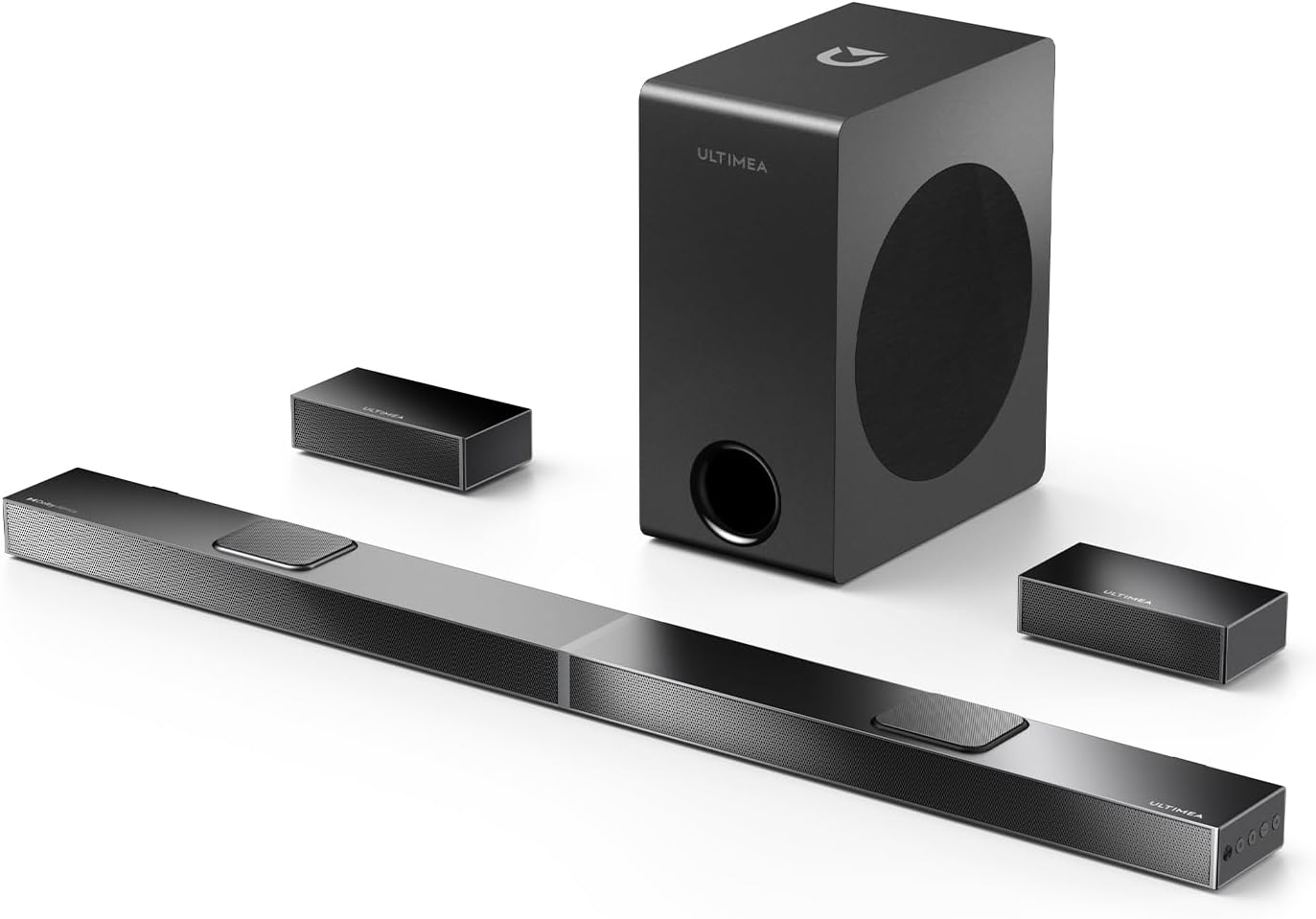
Image: The complete ULTIMEA Nova S80 system, showcasing the main soundbar unit, the wireless subwoofer, and the two compact surround speakers.
پيداوار ختمview
immersive آڊيو تجربو
The Nova S80 system features 5.1.2 Dolby Atmos certified surround sound, incorporating two up-firing speakers and two dedicated rear surround speakers. This configuration projects sound across and above the listening area, creating a three-dimensional audio environment. The system is designed to enhance dialogue clarity and deliver powerful bass, contributing to a theater-like experience. Please note that DTS decoding is not supported.

Image: A visual representation of the 5.1.2 channel setup, showing sound waves emanating from the soundbar, subwoofer, and surround speakers to create an immersive Dolby Atmos sound field.
360° Spatial Surround with ASL Technology
Aural Spatial Localization (ASL) technology, powered by real-time Digital Signal Processing (DSP), delivers audio from various directions. Advanced algorithms precisely position sound around and above the listener, establishing a realistic 3D soundstage that adds depth to movies, music, and gaming content.

Image: An illustration demonstrating the 360° ASL technology, with sound paths indicating precise localization of audio from various points, including overhead, within a room.
4K HDR Pass-Through
The system supports 4K HDR content pass-through, allowing for richer colors, deeper contrast, and enhanced brightness for visual quality. When combined with Dolby Atmos audio, the Nova S80 aims to create a comprehensive audiovisual experience for home entertainment.

Image: A diagram illustrating 4K HDR pass-through capabilities, showing how video signals are processed while sound is projected to create an enveloping audio-visual environment.
مٿي-فائرنگ اسپيڪر
Two dedicated upward-firing drivers are integrated into the soundbar. These speakers project audio towards the ceiling, allowing sound to reflect down to the listener, creating realistic overhead sound effects. This feature, in conjunction with the rear surround speakers, expands the sound field for a more immersive home theater experience.
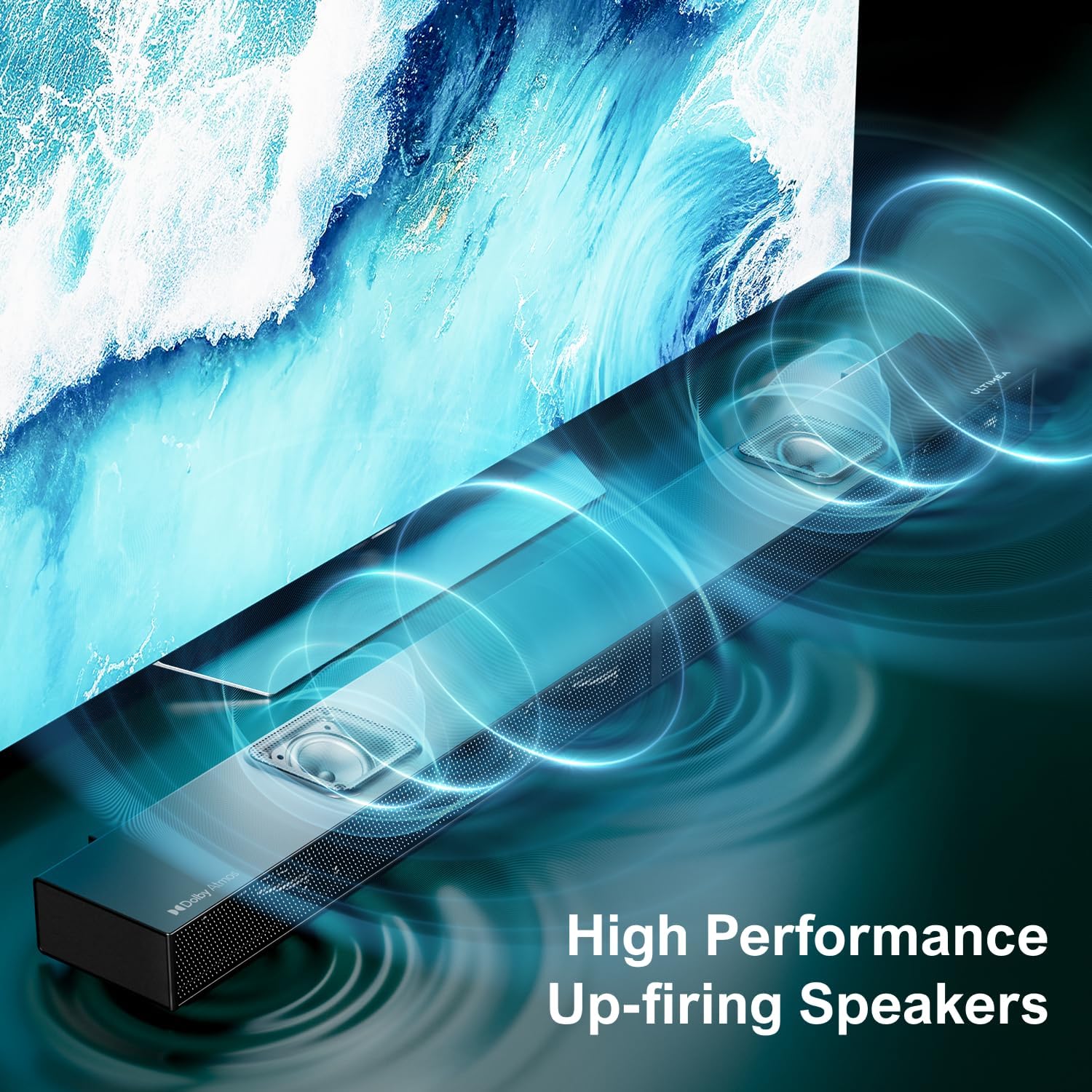
تصوير: هڪ تفصيلي view of the soundbar's upward-firing speakers, showing their design and the direction of sound projection.
8" Wireless Subwoofer with BassMX Technology
The system includes an 8-inch wireless subwoofer designed for low-frequency performance. It features a magnetic circuit system and a durable diaphragm, enabling a 21mm long-stroke excursion. ULTIMEA's BassMX technology is incorporated to enhance bass depth and clarity, providing impactful low-end audio.

Image: The 8-inch wireless subwoofer, highlighting its size and wireless capability, with a visual representation of powerful bass.
پراڊڪٽ ويڊيو
Video: An official product video from Ultimea Labs showcasing the features and immersive sound capabilities of the Nova S80 soundbar system, including Dolby Atmos and spatial audio demonstrations.
سيٽ اپ ڪريو
اجزاء جي جڳھ
- سائونڊ بار: Place the soundbar centrally below your television. Ensure no objects obstruct the upward-firing speakers. The soundbar can also be wall-mounted using the provided kits and bracket.
- وائرليس Subwoofer: Position the subwoofer on the floor, ideally in the front half of the room. Experiment with placement to find the optimal bass response for your listening area.
- چوڌاري ڳالهائيندڙ: Place the two surround speakers behind your primary listening position, to the left and right. Ensure they are positioned to provide a balanced rear sound field.
ڪنيڪشن جا اختيار
The Nova S80 offers multiple connectivity options for various devices:
- HDMI اي آر سي: For optimal audio quality, connect your TV's HDMI eARC/ARC port to the soundbar's HDMI OUT (eARC) port using the provided HDMI eARC cable. This connection supports Dolby Atmos and 4K HDR pass-through.
- HDMI اندر: Connect external devices (e.g., Blu-ray player, gaming console) to the soundbar's HDMI IN port.
- بصري: Connect your TV's optical digital audio output to the soundbar's OPT port using the digital optical cable.
- AUX: Use the 3.5mm to RCA audio cable to connect devices with an analog audio output to the soundbar's AUX port.
- بلوٽوٿ: For wireless audio streaming from smartphones or tablets, pair your device with the soundbar via Bluetooth.
- USB: آڊيو هلائڻ لاءِ files سڌو USB اسٽوريج ڊوائيس تان.

Image: A close-up of the soundbar's rear panel, detailing the available input and output ports for various audio and video connections.
آپريٽنگ هدايتون
پاور آن / آف
Connect the soundbar and subwoofer to a power outlet. Press the power button on the soundbar or remote control to turn the system on or off.
ان پٽ چونڊ
Use the 'Input' button on the remote control or the soundbar to cycle through available input sources: HDMI eARC, HDMI IN, Optical, AUX, Bluetooth, and USB. The selected input will typically be indicated on the soundbar's display.
حجم ڪنٽرول
Adjust the master volume using the '+' and '-' buttons on the remote control or the soundbar. The subwoofer volume can be adjusted independently to fine-tune bass levels, with 13 levels of bass adjustment available.
بلوٽوٽ جوئر
Select Bluetooth input on the soundbar. On your mobile device, search for "ULTIMEA Nova S80" in the Bluetooth settings and pair. Once connected, audio from your device will play through the soundbar system.

Image: An illustration of Bluetooth 5.3 connectivity, showing a smartphone wirelessly streaming music to the soundbar, with icons representing various compatible devices.
سار سنڀال
To ensure the longevity and optimal performance of your ULTIMEA Nova S80 soundbar system, follow these maintenance guidelines:
- صفائي: Use a soft, dry cloth to clean the surfaces of the soundbar, subwoofer, and surround speakers. Avoid using liquid cleaners, aerosols, or abrasive materials, as these can damage the finish or internal components.
- وينٽيليشن: پڪ ڪريو ته سڀني حصن تي وينٽيليشن جا سوراخ بند نه آهن. مناسب هوا جي وهڪري کي وڌيڪ گرم ٿيڻ کان روڪي ٿو.
- لڳائڻ: Keep the system away from direct sunlight, heat sources, and areas with high humidity or dust.
- ڪيبل: وقتي طور تي سڀني ڪيبل ڪنيڪشنن کي چيڪ ڪريو ته جيئن پڪ ٿئي ته اهي محفوظ ۽ نقصان کان پاڪ آهن.
مشڪلاتون
If you encounter issues with your Nova S80 system, refer to the following common troubleshooting steps:
- طاقت ناهي:
- Ensure all power cables are securely connected to the soundbar, subwoofer, and a working power outlet.
- ٻئي ڊوائيس ۾ پلگ ان ڪندي پڪ ڪريو ته پاور آئوٽليٽ ڪم ڪري رهيو آهي.
- آواز ناهي:
- چيڪ ڪريو ته سائونڊ بار تي صحيح ان پٽ سورس چونڊيو ويو آهي.
- Increase the volume on both the soundbar and your connected device (e.g., TV, smartphone).
- Ensure all audio cables (HDMI, Optical, AUX) are properly connected and not damaged.
- جيڪڏهن بلوٽوٿ استعمال ڪري رهيا آهيو، پڪ ڪريو ته ڊوائيس جوڙيل ۽ ڳنڍيل آهي.
- Verify that the TV's audio output settings are configured to send audio to the soundbar (e.g., PCM, Bitstream).
- سب ووفر جوڙو نه پيو/بيس نه:
- Ensure the wireless subwoofer is powered on and within range of the soundbar.
- Check the subwoofer's pairing indicator. If not paired, refer to the full user manual for specific pairing instructions.
- Adjust the subwoofer's volume level.
- ريموٽ ڪنٽرول ڪم نه ڪري رهيو آهي:
- ريموٽ ڪنٽرول ۾ بيٽرين کي تبديل ڪريو.
- پڪ ڪريو ته ريموٽ ڪنٽرول ۽ سائونڊ بار جي سينسر جي وچ ۾ ڪا به رڪاوٽ نه آهي.
For more detailed troubleshooting, please refer to the comprehensive user manual or contact ULTIMEA customer support.
وضاحتون
| برانڊ | الٽيما |
| ماڊل نالو | نووا S80 |
| شيون ماڊل نمبر | U4120 |
| اسپيڪر جو قسم | سائونڊ بار |
| چوڌاري آواز چينل جي جوڙجڪ | 5.1.2 |
| خاص خاصيتون | 5.1.2 Dolby Atmos, 4K HDR Pass-through, BassMAX, 360° ASL Aural Spatial Localization Technology, Upward-Firing Drivers |
| رابطي ٽيڪنالاجي | Auxiliary, Bluetooth, HDMI IN/eARC, Optical, USB |
| وائرليس ڪميونيڪيشن ٽيڪنالاجي | بلوٽوٿ |
| سب ووفر ڪنيڪٽوٽي ٽيڪنالاجي | وائرليس |
| اسپيڪر وڌ ۾ وڌ آئوٽ پاور | 520 واٽ |
| تعدد جواب | 35 هز |
| ووفر قطر | 8 انچ |
| آڊيو ڊرائيور جو قسم | Upward Firing Driver |
| پيداوار جي ماپ | 3.54"ڊي x 31.5"ڊي x 1.5"ايڇ |
| شيءِ جو وزن | 22.6 پائونڊ |
| چڙهڻ جو قسم | ڀت جبل |
| ڪنٽرول جو طريقو | ريموٽ |
| شامل اجزاء | Soundbar, Wireless Subwoofer, 2 Surround Speakers, Remote Control, Cables (HDMI eARC, Optical, 3.5mm to RCA, RCA to RCA, 6-pin), Power Adaptor, Wall Mounted Kits, Wall Bracket, HDMI Adaptor, User Manual |
وارنٽي ڄاڻ
The ULTIMEA Nova S80 system comes with a limited warranty. For specific details regarding warranty coverage, duration, and terms, please refer to the warranty card included in your product packaging or visit the official ULTIMEA webسائيٽ. وارنٽي دعوائن لاءِ خريداري جو ثبوت رکو.
ڪسٽمر سپورٽ
If you require further assistance, have questions about your product, or need technical support, please contact ULTIMEA customer service through the following channels:
- Webسائيٽ: Visit the official ULTIMEA webسوالن، سپورٽ وسيلن، ۽ رابطي جي فارمن لاءِ سائيٽ.
- اي ميل: Refer to your product packaging or the ULTIMEA webڪسٽمر سپورٽ اي ميل ايڊريس لاءِ سائيٽ.
- فون: Check the ULTIMEA website for available phone support numbers in your region.
When contacting support, please have your product model number (Nova S80 / U4120) and purchase information ready.


