1. تعارف
This manual provides detailed instructions for the setup, operation, and maintenance of your iVANKY FusionDock Pro 2 20-in-1 DisplayLink Docking Station. Please read this manual thoroughly before using the product to ensure optimal performance and safety.
2. پيڪيج مواد
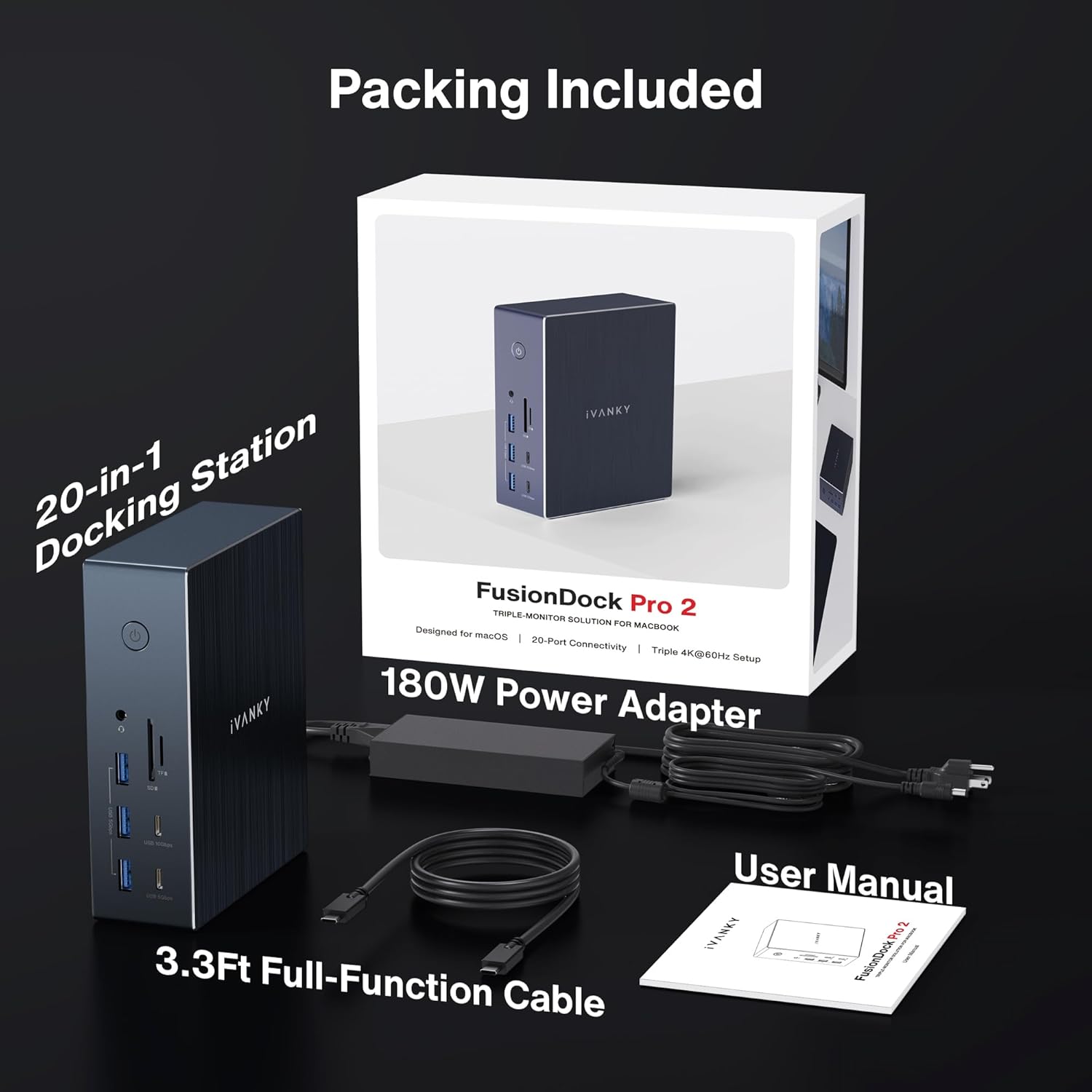
پڪ ڪريو ته هيٺ ڏنل سڀئي شيون توهان جي پيڪيج ۾ شامل آهن:
- iVANKY FusionDock Pro 2 Docking Station
- 180W پاور اڊاپٽر
- 3.3ft Full-Function USB-C Cable
- استعمال ڪندڙ جو دستياب (ھي دستاويز)

3. مصنوعات جون خاصيتون
The iVANKY FusionDock Pro 2 offers extensive connectivity and high performance:
- 20-ان-1 ڪنيڪشن: Equipped with multiple ports for comprehensive expansion.
- Triple 4K@60Hz Display: Supports simultaneous output to three 4K monitors at 60Hz (DisplayLink driver required for HDMI/DP 1&2).
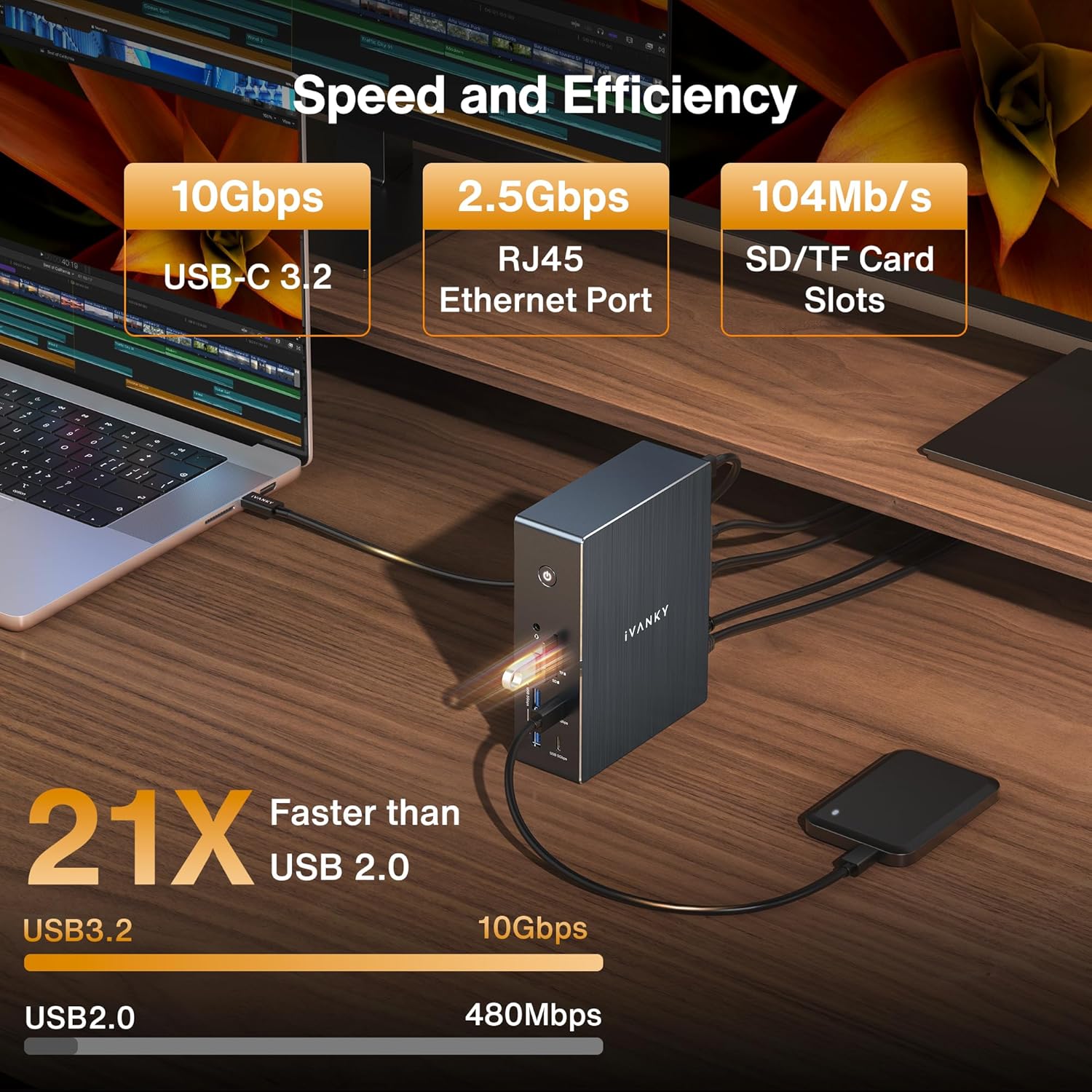
- تيز رفتار ڊيٽا جي منتقلي: Includes 1x 10Gbps USB-C, 1x 10Gbps USB-A, 2x 5Gbps USB-C, 3x 5Gbps USB-A, and 2x USB-A 2.0 ports.
- تيز چارج: 180W power adapter delivers up to 100W to laptops via the upstream USB-C port and up to 20W to USB-C devices via the PD port.
- 2.5GbE ايٿرنيٽ: هڪ مستحڪم ۽ تيز وائرڊ نيٽ ورڪ ڪنيڪشن فراهم ڪري ٿو.
- SD/TF 3.0 Card Slots: Supports data transfer speeds up to 104MB/s.
- موثر گرمي جي خاتمي: ايلومينيم جasing design aids in heat management.


پيداوار ختمview وڊيو
وڊيو: هڪ مختصر جائزوview of the iVANKY 20-in-1 DisplayLink Docking Station, showcasing ان جون خاصيتون ۽ ڊيزائن.
4. سيٽ اپ
4.1. Driver Installation (Essential)
IMPORTANT: For the HDMI/DP 1&2 ports and overall functionality, the DisplayLink driver must be installed on your computer. This driver does not pose a risk to user privacy or data security.
- پنهنجو کوليو web برائوزر کوليو ۽ سرڪاري ڊسپلي لنڪ تي وڃو webسائيٽ: www.synaptics.com.
- Locate the "Downloads" section, typically found in the upper right corner of the webصفحو.
- Select the appropriate operating system (macOS or Windows) for your device.
- Scroll down to find "DisplayLink Manager" and click the "Download" button.
- Review the software license agreement and click "Accept" to begin the download.
- Once the download is complete, double-click the installer file انسٽاليشن جي عمل کي شروع ڪرڻ لاء.
- Follow the on-screen prompts, clicking "Continue" and "Agree" as necessary.
- Enter your system password if prompted and click "Install Software".
- After successful installation, you may be prompted to open System Settings to allow screen recording for DisplayLink Manager. Grant this permission for full functionality.
- For macOS users, ensure "Launch automatically after login" is ticked in the DisplayLink Manager settings for convenience.
Driver Installation Video Guide
Video: A step-by-step video tutorial on how to download and install the DisplayLink driver for the iVANKY FusionDock Pro 2.
4.2. جسماني ڪنيڪشن
- Connect the 180W power adapter to the DC-IN port on the docking station and plug it into a power outlet.
- Connect the full-function USB-C cable from the "Laptop" port on the docking station to your host laptop (MacBook or Windows).
- ڊاکنگ اسٽيشن تي پنهنجا ٻاهرين مانيٽر HDMI ۽/يا DisplayPort آئوٽ پُٽ سان ڳنڍيو.
- Connect any other peripherals (USB devices, Ethernet cable, SD/TF cards) to their respective ports on the docking station.
5. آپريٽنگ هدايتون
5.1. ڊسپلي ترتيب
After driver installation and physical connection, your operating system should detect the connected displays. You can configure display settings (resolution, arrangement, mirroring/extension) through your computer's display settings:
- ونڊوز: ڊيسڪ ٽاپ تي ساڄي ڪلڪ ڪريو > ڊسپلي سيٽنگون.
- macOS: سسٽم سيٽنگون> ڊسپلي.
The docking station supports up to three 4K@60Hz displays simultaneously, allowing for an extended desktop experience.

5.2. ڊيٽا جي منتقلي ۽ نيٽ ورڪ
Utilize the various USB ports for connecting external storage, keyboards, mice, and other peripherals. The 10Gbps USB ports provide rapid data transfer speeds. The 2.5GbE Ethernet port ensures a stable and high-speed internet connection, ideal for demanding network tasks.
5.3. Charging Capabilities
The docking station's 180W power adapter efficiently charges your host laptop up to 100W via the upstream USB-C port. Additionally, the dedicated PD port can charge other USB-C devices, such as smartphones or tablets, up to 20W.
6. مسئلا حل ڪرڻ
- ڪابه ڊسپلي آئوٽ پٽ ناهي: Ensure the DisplayLink driver is correctly installed and updated. Check all cable connections (USB-C to laptop, HDMI/DP to monitors). Verify monitors are powered on and set to the correct input source.
- وقتي رابطا: Ensure all cables are securely connected. Try using different cables if available. Check for any driver updates for your operating system or the docking station.
- چارج جا مسئلا: Confirm the 180W power adapter is properly connected to the docking station and a live power outlet. Ensure your laptop's USB-C port supports power delivery.
- سست ڊيٽا منتقلي: Verify that you are using the 10Gbps or 5Gbps USB ports for high-speed devices. Ensure your external devices and cables support the desired transfer speeds.
- نيٽ ورڪ ڪنيڪشن جا مسئلا: Check the Ethernet cable connection. Verify your network settings on your computer. Ensure the 2.5GbE driver is correctly installed if required by your system.
- گرمي جي پيداوار: It is normal for the docking station to generate some heat during operation, especially under heavy load. The aluminum casing is designed to dissipate this heat efficiently. If the device becomes excessively hot or exhibits unusual behavior, disconnect it and contact support.
7. وضاحتون
| خاصيت | تفصيل |
|---|---|
| ماڊل نمبر | FusionDock پرو 2 |
| ڪُل بندرگاهون | 20 |
| ڊسپلي آئوٽ | 3x HDMI (up to 4K@60Hz), 2x DisplayPort (up to 4K@60Hz) |
| USB-C بندرگاهن | 1x 10Gbps, 2x 5Gbps, 1x Upstream (Laptop) with 100W PD, 1x 20W PD |
| USB-A بندرگاهن | 1x 10Gbps, 3x 5Gbps, 2x USB 2.0 |
| ايٿرنيٽ | 2.5 Gigabit Ethernet (2.5GbE) |
| ڪارڊ ريڊر | SD/TF 3.0 (up to 104MB/s) |
| آڊيو | 3.5mm آڊيو جيو |
| پاور ان پٽ | DC-IN (180W Power Adapter) |
| مطابقت رکندڙ ڊوائيسز | MacBook Pro/Air (M1/M2/M3/M4/M5, Intel), HP/Dell/Lenovo Laptops, Windows & Chrome Laptops with Full-Function USB-C or Thunderbolt 3/4/5 Support |
| آپريٽنگ سسٽم | macOS 11.5 or later, Windows 8, 10 or later, ChromeOS |
| طول و عرض | 9.13 x 7.56 x 3.43 انچ |
| شيءِ جو وزن | 4.13 پائونڊ |
8. وارنٽي ۽ سپورٽ
Your iVANKY FusionDock Pro 2 comes with a 24-مهيني وارنٽي. In case of any issues or inquiries, please contact our customer service team for responsive assistance. We are committed to providing solutions and will gladly replace your unit if problems arise under warranty.
ڪسٽمر سروس اي ميل: سپورٽ@ivanky.com
Our customer service response time is typically within 24 hours. We also offer lifetime technical support.


