1. تعارف
TOPDON ٽاپ اسڪين ماسٽر هڪ پيشيور گريڊ وائرليس تشخيصي اوزار آهي جيڪو آٽوميٽو ٽيڪنيشن ۽ شوقينن لاءِ ٺهيل آهي. هي ڊوائيس توهان جي گاڏي جي OBD2 پورٽ سان ڳنڍيندو آهي ۽ بلوٽوٿ ذريعي توهان جي iOS يا Android اسمارٽ فون سان رابطو ڪندو آهي، جامع گاڏي جي تشخيص، ٻه طرفي ڪنٽرول، ۽ ڪيترائي سار سنڀال جا ڪم فراهم ڪندو آهي. هي دستورالعمل توهان جي ڊوائيس جي بهترين ڪارڪردگي ۽ ڊگهي عمر کي يقيني بڻائڻ لاءِ سيٽ اپ، آپريشن ۽ سار سنڀال لاءِ تفصيلي هدايتون مهيا ڪري ٿو.
2. پراڊڪٽ ختمview
ٽاپ اسڪين ماسٽر گاڏين جي گهري تجزيي ۽ سار سنڀال لاءِ خاصيتن جو هڪ مضبوط سيٽ پيش ڪري ٿو. ان جي ڪمپيڪٽ ڊيزائن مختلف ماحول ۾ آسان پورٽيبلٽي ۽ استعمال جي اجازت ڏئي ٿي.

تصوير 2.1: TOPDON ٽاپ اسڪين ماسٽر ڊيوائس اسمارٽ فون انٽرفيس سان جيڪو لائيو ڊيٽا اسٽريم ڏيکاري ٿو.
اهم خاصيتون:
- گاڏين جي وسيع ڪوريج: 120 کان وڌيڪ عالمي گاڏين جي برانڊن کي سپورٽ ڪري ٿو، جنهن ۾ 2020+ GM/Chrysler، BMW F/G چيسس، ۽ 2017+ لينڊ روور لاءِ CAN-FD ۽ DoIP جهڙا جديد پروٽوڪول شامل آهن.
- محفوظ گيٽ وي رسائي: ايف سي اي گاڏين تي غير محدود تشخيص فراهم ڪري ٿو ۽ ٻين محفوظ گيٽ وي رسائي جي حمايت ڪري ٿو (مثال طور، نسان، رينالٽ).
- ٻہ طرفي ڪنٽرول: ونڊوز، هيڊ لائيٽس، انجيڪٽرز، ۽ فيول پمپ جهڙن مختلف حصن تي فعال ٽيسٽون ڪريو.
- جامع سار سنڀال جا ڪم: 30 کان وڌيڪ سروس فنڪشن تائين رسائي، جنهن ۾ آئل ري سيٽ، اي پي بي ري سيٽ، ڊي پي ايف ري جنريشن، ٽي پي ايم ايس ري سيٽ، بي ايم ايس ري سيٽ، ۽ سلنڈر بيلنس ٽيسٽ شامل آهن.
- مڪمل سسٽم تشخيص: ڪوڊ پڙهڻ/ڪليئر ڪرڻ لاءِ سڀني گاڏين جي ماڊلز (انجن، ٽرانسميشن، ABS، ايئر بيگ، A/C، وغيره) تائين OE-سطح جي رسائي ۽ viewلائيو ڊيٽا حاصل ڪرڻ.
- ٽاپ فڪس اي آءِ اسسٽنٽ: فالٽ ڪوڊ جي تشريح ڪري ٿو ۽ قدم بہ قدم مرمت جا طريقا، وائرنگ ڊاگرام، ۽ ڪنيڪٽر پن آئوٽ مهيا ڪري ٿو.
- وائرليس پورٽيبلٽي: بلوٽوٿ ذريعي ڪم ڪري ٿو، توهان جي اسمارٽ فون مان تشخيص جي اجازت ڏئي ٿو.
- گھڻن ٻولين جي حمايت: مينيو 45 ٻولين ۾ موجود آهي.
3. سيٽ اپ گائيڊ
3.1 انباڪسنگ
پنھنجي پيڪيج جي مواد جي تصديق ڪريو:
- ٽاپ اسڪين ماسٽر ڊيوائس (x1)
- جلدي شروع ڪرڻ جي ھدايت (x1)
3.2 ايپ جي انسٽاليشن
ٽاپ اسڪين ماسٽر وقف ٿيل TOPDON ايپ سان ڪم ڪري ٿو، جيڪو iOS ۽ Android ڊوائيسز سان مطابقت رکي ٿو.
- ايپ ڊائون لوڊ ڪريو: ڳولھيو ايپل ايپ اسٽور (iOS لاءِ) يا گوگل پلي اسٽور (اينڊرائيڊ لاءِ) ۾ 'TOPDON' کوليو ۽ ايپليڪيشن انسٽال ڪريو.
- اين ايف سي تڪڙي تنصيب (اختياري): مطابقت رکندڙ ڊوائيسز لاءِ، پنهنجي اسمارٽ فون کي NFC سان ڇڪيو tag ايپ ڊائون لوڊ پيج کي جلدي کولڻ لاءِ ٽاپ اسڪين ماسٽر پيڪنگنگ تي.

تصوير 3.1: TOPDON ايپ ڊائون لوڊ ڪرڻ لاءِ NFC تڪڙي انسٽاليشن جي خاصيت.
3.3 ڊوائيس ڪنيڪشن
- OBD2 پورٽ ڳوليو: پنهنجي گاڏي جي 16-پن OBD2 تشخيصي پورٽ جي سڃاڻپ ڪريو، جيڪو عام طور تي ڊرائيور جي پاسي ڊيش بورڊ جي هيٺان واقع هوندو آهي.
- ڊوائيس Connectنيو: ٽاپ اسڪين ماسٽر ڊيوائس کي گاڏي جي OBD2 پورٽ ۾ مضبوطيءَ سان لڳايو. ڊوائيس جي اشاري جون بتيون روشن ٿيڻ گهرجن.
- اگنيشن چالو ڪريو: گاڏي جي اگنيشن کي 'آن' پوزيشن تي تبديل ڪريو (انجڻ بند ڪريو).
- بلوٽوت ذريعي جوڙيو: پنهنجي اسمارٽ فون تي TOPDON ايپ کوليو. ايپ خودڪار طريقي سان بلوٽوٿ ذريعي ٽاپ اسڪين ماسٽر کي ڳوليندي ۽ ڳنڍجي ويندي. شروعاتي جوڙڻ لاءِ ڪنهن به آن اسڪرين اشارن تي عمل ڪريو.
- گاڏي جي سڃاڻپ: ايپ آٽو وين ذريعي گاڏي کي پاڻمرادو سڃاڻڻ جي ڪوشش ڪندي. جيڪڏهن ناڪام ٿيو، ته توهان کي گاڏي جي معلومات دستي طور تي داخل ڪرڻ جي ضرورت پوندي.
4. آپريٽنگ هدايتون
هڪ ڀيرو ڳنڍيل ٿيڻ کان پوءِ، TOPDON ايپ مختلف تشخيصي ۽ سار سنڀال جي ڪمن لاءِ صارف دوست انٽرفيس فراهم ڪري ٿي.
4.1 مڪمل سسٽم تشخيص
هي فنڪشن توهان کي گاڏي ۾ موجود سڀني اليڪٽرانڪ ڪنٽرول ماڊلز (ECUs) تائين رسائي ۽ تشخيص ڪرڻ جي اجازت ڏئي ٿو.
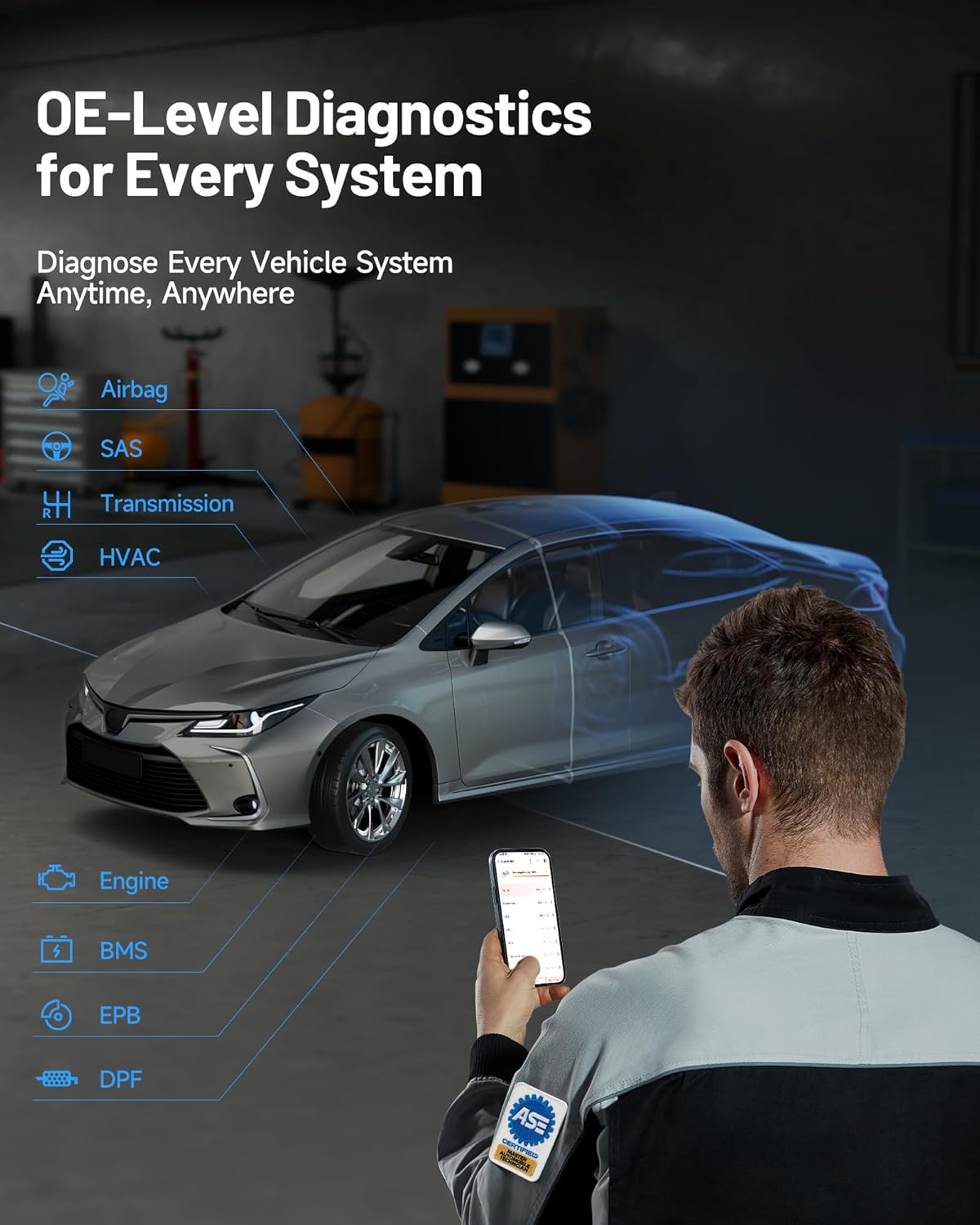
تصوير 4.1: هر سسٽم لاءِ OE-سطح جي تشخيص، ڪار سان ڊوائيس استعمال ڪندي هڪ ميڪينڪ ڏيکاريندي.
- ڊي ٽي سي پڙهو/صاف ڪريو: سڀني سسٽم مان تشخيصي مصيبت ڪوڊ (DTCs) حاصل ڪريو ۽ مرمت کان پوءِ انهن کي صاف ڪريو.
- لائيو ڊيٽا اسٽريم: View مختلف سينسر ۽ حصن مان حقيقي وقت ڊيٽا پيرا ميٽر. ڊيٽا ٽيڪسٽ، گراف، يا گيج فارميٽ ۾ ڏيکاري سگھجي ٿو.
- فريز فريم پڙهو: جڏهن ڊي ٽي سي مقرر ڪيو ويو هو ته گاڏي جي آپريٽنگ حالتن جو هڪ سنيپ شاٽ وٺو.
- ECU ڄاڻ پڙهو: آزمائشي ڪنٽرول يونٽ لاءِ مخصوص معلومات ڏيکاريو، جنهن ۾ يونٽ جو قسم، ورزن نمبر، ۽ ٻيون وضاحتون شامل آهن.
4.2 ٻہ طرفي ڪنٽرول (فعال ٽيسٽ)
هي خصوصيت توهان کي گاڏين جي حصن کي حڪم موڪلڻ جي اجازت ڏئي ٿي ته جيئن انهن جي ڪارڪردگي کي سڌو سنئون جانچيو وڃي، تيز فالٽ آئسوليشن ۾ مدد ڪندي.

تصوير 4.2: ٻہ طرفي ڪنٽرول انٽرفيس مختلف گاڏين جي حصن لاءِ سڌي ڪمانڊ صلاحيتن جو مظاهرو ڪري ٿو.
هڪ فعال ٽيسٽ ڪرڻ لاءِ:
- ايپ اندر 'ٻہ طرفي ڪنٽرول' سيڪشن ڏانهن وڃو.
- اهو جزو چونڊيو جيڪو توهان جانچڻ چاهيو ٿا (مثال طور، 'ونڊو مٿي/هيٺ'، 'فيول پمپ آن/آف').
- جزو جي جواب کي چالو ڪرڻ ۽ مشاهدو ڪرڻ لاءِ اسڪرين تي ڏنل هدايتن تي عمل ڪريو.
4.3 سار سنڀال جا ڪم (ري سيٽ ۽ ڪيليبريشن)
ٽاپ اسڪين ماسٽر ۾ 30 کان وڌيڪ عام سار سنڀال ۽ خدمت جا ڪم شامل آهن.

تصوير 4.3: مٿيview ٽاپ اسڪين ماسٽر سان گڏ 30+ عام سار سنڀال جا ڪم موجود آهن.
Exampڪجھ افعال شامل آهن:
- تيل ري سيٽ: تيل جي تبديلي کان پوءِ تيل جي زندگي جو نظام ري سيٽ ڪريو.
- اي پي بي ري سيٽ: بريڪ سروس لاءِ اليڪٽرانڪ پارڪنگ بريڪ سسٽم کي غير فعال ۽ چالو ڪريو.
- ڊي پي ايف جي بحالي: زبردستي ڊيزل پارٽيڪيوليٽ فلٽر جي بحالي ڪريو.
- TPMS ري سيٽ: ٽائر پريشر مانيٽرنگ سسٽم سينسرز کي ري سيٽ ڪريو.
- بي ايم ايس ري سيٽ: ECU ۾ نئين بيٽري جي متبادل کي رجسٽر ڪريو.
- ٿروٽل موافقت: ٿروٽل باڊي پوزيشن کي ٻيهر سکيو.
- اسٽيئرنگ اينگل ري سيٽ: اسٽيئرنگ اينگل سينسر کي ري سيٽ ڪريو.
- انجڪٽر ڪوڊنگ: ECU ۾ نوان انجيڪٽر نمبر ڪوڊ ڪريو.
هميشه مخصوص گاڏي جي سروس مينوئل جو حوالو ڏيو ۽ سار سنڀال جي ڪمن کي انجام ڏيڻ وقت سڀني حفاظتي احتياطن تي عمل ڪريو.
4.4 ٽاپ فڪس اي آءِ اسسٽنٽ
مربوط ٽاپ فڪس اي آءِ اسسٽنٽ تفصيلي معلومات ۽ قدم بہ قدم هدايت فراهم ڪندي پيچيده مرمت کي آسان بڻائڻ ۾ مدد ڪري ٿو.

تصوير 4.4: ٽاپ فڪس اي آءِ اسسٽنٽ انٽرفيس تفصيلي غلطي جي وضاحت ۽ مرمت جا مرحلا فراهم ڪري ٿو.
- غلطي جي تشريح: تشخيصي مصيبت ڪوڊ (DTCs) لاءِ واضح وضاحتون حاصل ڪريو.
- قدم بہ قدم ھدايتون: هدايت ڪيل مرمت جي طريقيڪار تائين رسائي حاصل ڪريو.
- ٽيڪنيڪل ڊيٽا: View وائرنگ ڊاگرام، ڪنيڪٽر پن آئوٽ، ۽ ٻيا پيشه ورانه مرمت دستاويز.
4.5 محفوظ گيٽ وي رسائي (SGW)
ٽاپ اسڪين ماسٽر مخصوص گاڏين جي برانڊن لاءِ محفوظ گيٽ وي رسائي جي حمايت ڪري ٿو، نون ماڊلز تي مڪمل تشخيصي صلاحيتن جي اجازت ڏئي ٿو.

تصوير 4.5: محفوظ گيٽ وي رسائي جو مقابلو، ٽاپ اسڪين ماسٽر جي وسيع مطابقت کي اجاگر ڪندي.
ايف سي اي گاڏين لاءِ، ڊوائيس غير محدود تشخيص جي اجازت ڏئي ٿي. نوٽ ڪريو ته ڪجهه محفوظ گيٽ ويز کي ڪجهه ڪمن تائين مڪمل رسائي لاءِ هڪ صحيح OEM اڪائونٽ جي ضرورت ٿي سگھي ٿي.
5. سار سنڀال
مناسب سنڀال ۽ سار سنڀال توهان جي ٽاپ اسڪين ماسٽر ڊوائيس جي زندگي کي وڌائيندو.
- صفائي: ڊوائيس کي صاف ڪرڻ لاءِ نرم، سڪل ڪپڙو استعمال ڪريو. رگڙيندڙ ڪلينر يا محلول استعمال ڪرڻ کان پاسو ڪريو.
- اسٽوريج: ڊوائيس کي سڌي سج جي روشني ۽ انتهائي گرمي پد کان پري ٿڌي، سڪل جاءِ تي رکو.
- سافٽ ويئر اپڊيٽ: جديد گاڏين جي ماڊلز ۽ تشخيصي خاصيتن سان مطابقت کي يقيني بڻائڻ لاءِ TOPDON ايپ ذريعي سافٽ ويئر اپڊيٽس جي باقاعدي جانچ ۽ انسٽال ڪريو. ڊوائيس ۾ 1 سال جي مفت اپڊيٽ شامل آهن.
- ڪنيڪشن: پڪ ڪريو ته OBD2 ڪنيڪٽر پن صاف ۽ ملبي کان پاڪ آهن.
6. مسئلا حل ڪرڻ
جيڪڏهن توهان کي پنهنجي ٽاپ اسڪين ماسٽر سان مسئلا درپيش اچن ٿا، ته هيٺ ڏنل عام مسئلا حل ڪرڻ واري قدمن جو حوالو ڏيو:
- ڊوائيس تي طاقت نه آهي: پڪ ڪريو ته ڊوائيس گاڏي جي OBD2 پورٽ ۾ محفوظ طور تي لڳل آهي ۽ گاڏي جو اگنيشن 'آن' پوزيشن ۾ آهي. جيڪڏهن ضروري هجي ته گاڏي جي فيوز کي OBD2 پورٽ لاءِ چيڪ ڪريو.
- بلوٽوٿ ڪنيڪشن ناڪامي: پڪ ڪريو ته توهان جي اسمارٽ فون تي بلوٽوٿ فعال آهي. TOPDON ايپ کي بند ڪريو ۽ ٻيهر کوليو. جيڪڏهن مسئلو برقرار رهي ٿو، ته پنهنجي اسمارٽ فون ۽ ٽاپ اسڪين ماسٽر ڊوائيس ٻنهي کي ٻيهر شروع ڪرڻ جي ڪوشش ڪريو.
- گاڏي نه ڳوليندڙ ايپ: پڪ ڪريو ته ڊوائيس OBD2 پورٽ سان صحيح طرح سان ڳنڍيل آهي ۽ اگنيشن آن آهي. جيڪڏهن AutoVIN ناڪام ٿئي ٿو ته دستي VIN داخلا آزمايو. پڪ ڪريو ته گاڏي OBD2 مطابق آهي.
- تشخيصي ڪم ڪم نه ڪري رهيو آهي: پڪ ڪريو ته گاڏي جو ماڊل ۽ سال ايپ ۾ صحيح طور تي سڃاڻپ ٿيل آهي. ڪجهه ترقي يافته ڪمن لاءِ مخصوص گاڏي جي حالتن جي ضرورت ٿي سگھي ٿي (مثال طور، انجڻ جي هلڻ، مخصوص گرمي پد).
- سست ڪارڪردگي: پڪ ڪريو ته توهان جي اسمارٽ فون ۾ ڪافي ميموري آهي ۽ TOPDON ايپ جو جديد نسخو هلائي رهيو آهي. ٻيون پس منظر واريون ايپليڪيشنون بند ڪريو.
- غلطي جا پيغام: ڏيکاريل ڪنهن به غلطي ڪوڊ يا پيغام کي نوٽ ڪريو ۽ ايپ جي مدد سيڪشن جو حوالو ڏيو يا ٽيڪنيڪل سپورٽ سان رابطو ڪريو.
7. وضاحتون
| خاصيت | تفصيل |
|---|---|
| برانڊ | TOPDON |
| ماڊل | ٽاپ ڊون ٽاپ اسڪين ماسٽر |
| شيون ماڊل نمبر | ٽاپ اسڪين ماسٽر-سي اي |
| طاقت جو ذريعو | گاڏي OBD2 پورٽ |
| پيداوار جي ماپ | 3.1"ليٽر x 1.5"ڊبليو x 4.7"ايڇ |
| شيءِ جو وزن | 3.87 اونس |
| آپريٽنگ سسٽم مطابقت | iOS ۽ Android |
| خودڪار فٽ جو قسم | يونيورسل فٽ (OBD2 مطابق گاڏيون) |
| رابطي | بلوٽوٿ |
| سپورٽ پروٽوڪول | CAN-FD، DoIP، ۽ معياري OBD2 پروٽوڪول |
8. وارنٽي ۽ سپورٽ
8.1 سافٽ ويئر اپڊيٽ
توهان جي TOPDON ٽاپ اسڪين ماسٽر ۾ شامل آهي مفت سافٽ ويئر اپڊيٽ جو هڪ سال چالو ٿيڻ جي تاريخ کان. اهي اپڊيٽ يقيني بڻائين ٿا ته توهان جو ڊوائيس نئين گاڏين جي ماڊلز سان مطابقت رکي ٿو ۽ جديد تشخيصي خاصيتون ۽ بگ فڪس حاصل ڪري ٿو. شروعاتي سال کان پوءِ، لچڪدار تجديد جا اختيار (ماهوار، ٽه ماهي، يا ساليانو) موجود آهن. بنيادي ڪم جهڙوڪ مڪمل سسٽم پڙهڻ/صاف ڪوڊ ۽ لائيو ڊيٽا تجديد کان سواءِ به مڪمل طور تي استعمال لائق رهن ٿا.
8.2 ٽيڪنيڪل سپورٽ
TOPDON توهان جي ڪنهن به سوال يا مسئلن ۾ مدد لاءِ جوابدار مقامي ٽيڪنيڪل سپورٽ فراهم ڪري ٿو. سپورٽ 45 ٻولين ۾ موجود آهي.
ٽيڪنيڪل مدد لاءِ، مھرباني ڪري سرڪاري TOPDON تي وڃو. webسائيٽ تي وڃو يا TOPDON ايپ ۾ ڏنل رابطي جي معلومات جو حوالو ڏيو.


