📘 TrickleStar manuals • Free online PDFs
TrickleStar لوگو

TrickleStar Manuals & User Guides

TrickleStar manufactures energy-saving products, including Advanced PowerStrips and surge protectors, designed to reduce standby power waste in homes and offices.

Tip: include the full model number printed on your TrickleStar label for the best match.

About TrickleStar manuals on Manuals.plus

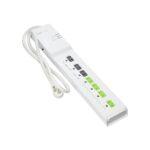
TrickleStar is a specialist in affordable, simple, and effective energy-saving products that help consumers and businesses reduce their environmental impact. Best known for their line of Advanced PowerStrips (APS), TrickleStar focuses on combating "vampire power"—the energy wasted by electronics left in standby mode. Their intelligent surge protectors utilize current-sensing technology to automatically switch off peripheral devices (such as printers or soundbars) when a primary control device (like a computer or TV) is turned off.

Headquartered with operations in Grand Rapids, Michigan, TrickleStar offers a range of solutions including motion sensor power strips, energy monitors, Wi-Fi thermostats, and portable power stations. Their products are designed for easy installation and often qualify for energy efficiency rebates. TrickleStar stands behind its surge protection technology with robust warranties and connected device protection, ensuring safe and efficient power management for modern electronics.

TrickleStar manuals

جديد دستورالعمل کان manuals+ هن برانڊ لاءِ تيار ڪيل.

TrickleStar TS2501 Wi-Fi Smart Thermostat Quick Start Guide

تڪڙو شروع ھدايت
A comprehensive quick start guide for the TrickleStar TS2501 Wi-Fi Smart Thermostat, detailing installation steps for homeowners and contractors, understanding the LCD display, using the Tricklestar Portal and App, and…

TrickleStar TS2501 Wi-Fi Smart Thermostat Quick Start Guide

جلدي شروع ڪرڻ جي هدايت
A quick start guide for installing and setting up the TrickleStar TS2501 Wi-Fi Smart Thermostat, covering homeowner and contractor installation workflows, thermostat features, portal access, and mobile app usage.

TrickleStar PDPA Policy: Data Protection Procedures

پاليسي دستاويز
Official policy from TrickleStar Limited detailing their commitment to protecting personal data, outlining collection, use, disclosure, and retention practices in accordance with the Personal Data Protection Act (PDPA).

TrickleStar manuals from online retailers

TrickleStar TS2003 Energy Monitor User Manual

TS2003 • 26 آڪٽوبر 2025
Comprehensive user manual for the TrickleStar TS2003 Energy Monitor, detailing setup, operation, maintenance, and troubleshooting to help users effectively monitor energy consumption.

TrickleStar TS1104 Advanced PowerStrip User Manual

TS1104 • آگسٽ 18، 2025
The TrickleStar TS1104 Advanced PowerStrip is an energy-saving 7-outlet surge protector (1080 Joules) designed to eliminate standby power waste from PC and TV peripherals. Featuring current-sensing technology and…

TrickleStar support FAQ

هن برانڊ لاءِ دستورالعمل، رجسٽريشن، ۽ سپورٽ بابت عام سوال.

  • What does a TrickleStar Advanced PowerStrip do?

    A TrickleStar Advanced PowerStrip helps save energy by automatically cutting power to switched outlets when a control device, such as a TV or computer, is turned off. This eliminates standby 'vampire' power waste.

  • How do I reset the circuit breaker on my TrickleStar power strip?

    If the circuit breaker trips, locate the switch on the unit (usually on the side or top), toggle it to the 'OFF' position, and then back to 'RESET' to restore power.

  • مان ڪيئن ڪريان file a warranty claim for a TrickleStar product?

    جي طرف file a claim, visit the TrickleStar website's warranty claim page. You will typically need to provide the product part number, proof of purchase, and a description of the issue. The form can often be emailed to warranty@tricklestar.com.

  • What is the Connected Device Warranty?

    Many TrickleStar surge protectors come with a Connected Device Warranty that covers repair or replacement costs for properly connected equipment damaged by a surge, up to a specified dollar amount (e.g., $20,000), subject to terms and conditions.

  • Why is the 'Switched' LED not illuminating?

    The 'Switched' LED only lights up when the switched outlets are receiving power. This happens when the device plugged into the 'Control' outlet is turned on and drawing sufficient power to trigger the sensor.