تعارف
This manual provides detailed instructions for the installation, operation, maintenance, and troubleshooting of your Lockly Smart Lock Model 6S. The Lockly Model 6S is a Bluetooth-enabled smart door lock designed for keyless entry, featuring a touchscreen keypad, app control, eKeys, and offline access code capabilities. It is suitable for home, office, and rental property use, offering enhanced security and convenience.
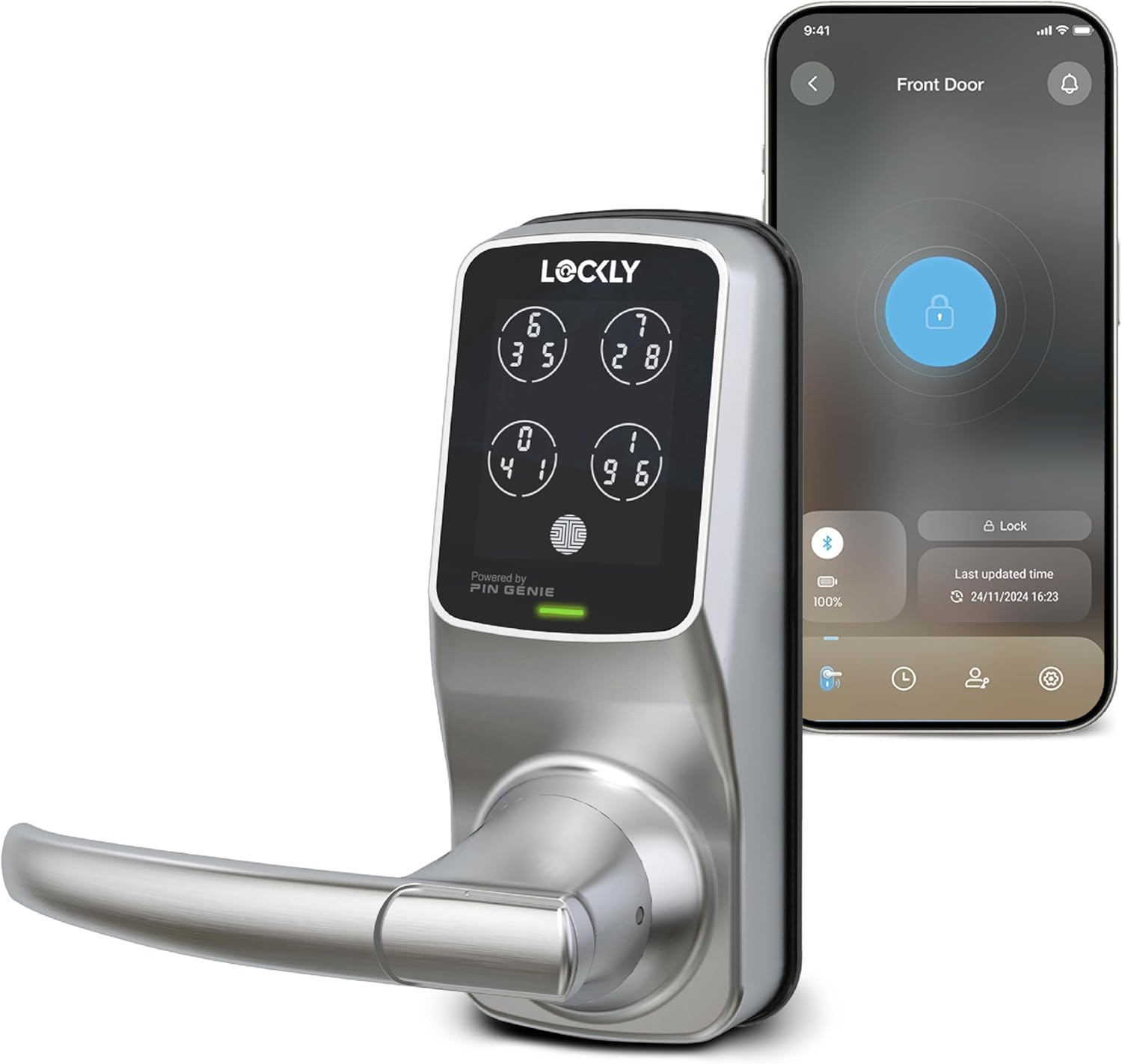
Image: The Lockly Smart Lock Model 6S in satin nickel finish, alongside a smartphone displaying the Lockly app interface for remote control.
سيٽ اپ ڪريو
دروازو مطابقت
Before installation, ensure your door meets the compatibility requirements. The Lockly Model 6S is designed for standard door thicknesses and backsets.
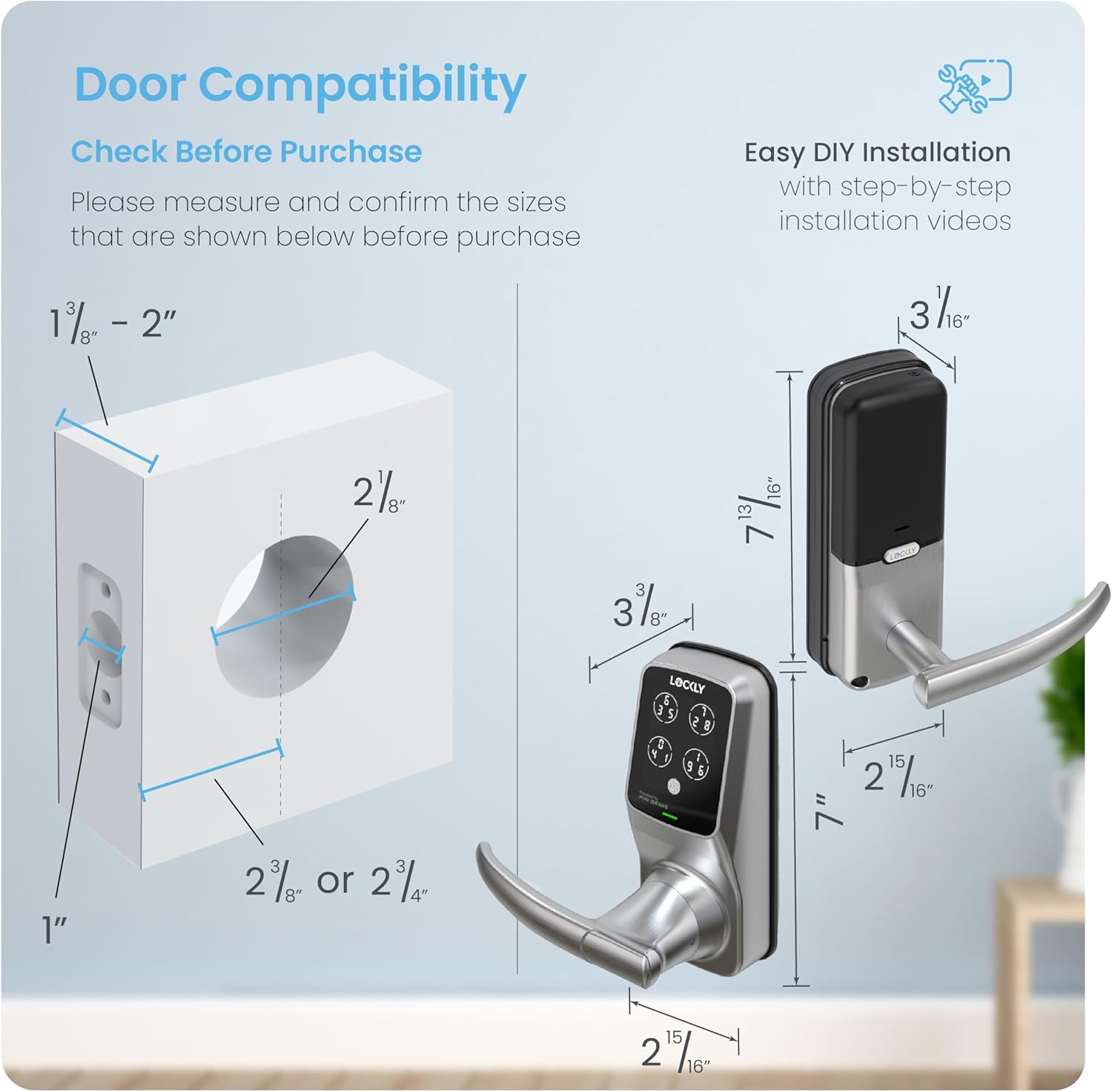
Image: A diagram illustrating the required door measurements for proper installation, including door thickness (1 3/8" - 2"), backset (2 3/8" or 2 3/4"), and bore hole diameter (2 1/8").
تنصيب
The Lockly Model 6S is designed for easy DIY installation using common household tools. Detailed step-by-step instructions are provided in the full installation guide, typically accessible via the Lockly app or the manufacturer's website. The lock is rekey-ready, allowing you to replace the key cylinder without changing the entire lock using a standard rekey kit.
Operating the Lockly Smart Lock Model 6S
انلاڪ ڪرڻ جا ڪيترائي طريقا
Your Lockly Smart Lock Model 6S offers several convenient methods for unlocking:
- Patented PIN Genie Digital Keypad: Use the unique dynamic keypad for secure code entry.
- اسمارٽ فون ايپ: Control the lock directly from your smartphone via the Lockly App.
- جسماني چاٻي: Utilize the traditional physical key as a backup.
- وائس ڪنٽرول: Integrate with Amazon Alexa or Hey Google for voice commands (requires optional Wi-Fi hub).
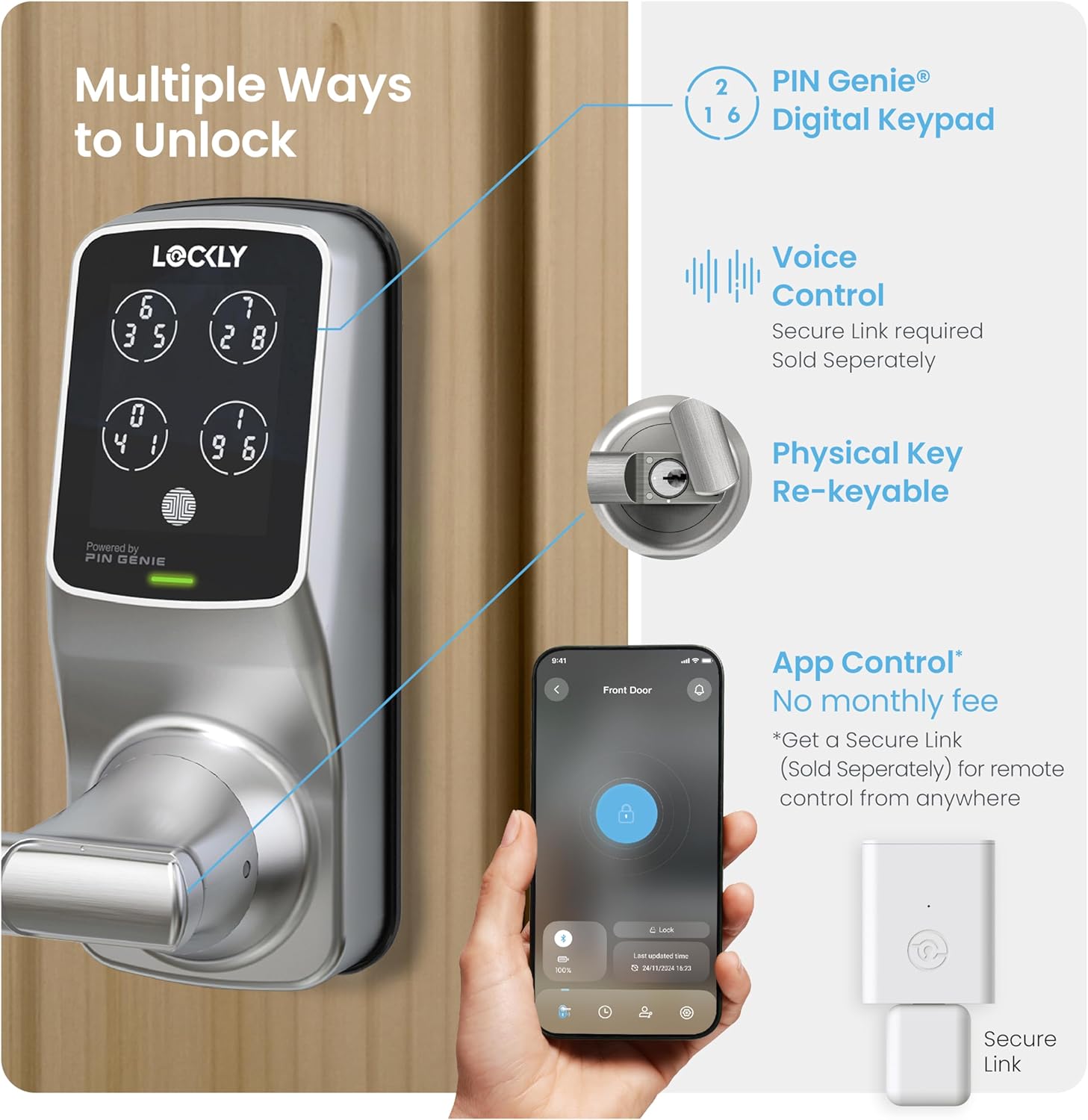
Image: An illustration highlighting the various ways to unlock the Lockly Smart Lock, including the PIN Genie keypad, physical key, smartphone app control, and voice control (with optional Secure Link hub).
Peek-Proof Digital Keypad (PIN Genie)
The patented PIN Genie keypad enhances security by dynamically shuffling the numbers on the touchscreen. This makes it impossible for onlookers to guess your code, even if they are watching you enter it.

Image: A visual representation of the PIN Genie keypad, showing how the numbers on the four virtual buttons change their positions after each use, preventing code memorization by observers.
موبائل ايپ ڪنٽرول
The Lockly App allows you to lock and unlock your door remotely. With the optional Wi-Fi hub, you can monitor the open/closed status of your door and receive real-time alerts directly on your smartphone.

Image: A smartphone screen displaying the Lockly app, showing options to lock/unlock, view notifications, and access history, indicating remote control capabilities.
Programmable Auto Locking
The customizable auto-lock feature provides peace of mind by automatically locking the door after a set period (5 to 300 seconds), ensuring your home is secured even if you forget to lock it manually.

Image: A person holding a baby, walking away from a door equipped with the Lockly Smart Lock, symbolizing the convenience of the auto-lock feature.
وائس ڪنٽرول انٽيگريشن
For added convenience, the Lockly Smart Lock can be controlled using voice commands through Amazon Alexa or Hey Google. This functionality requires the optional Wi-Fi hub, sold separately.
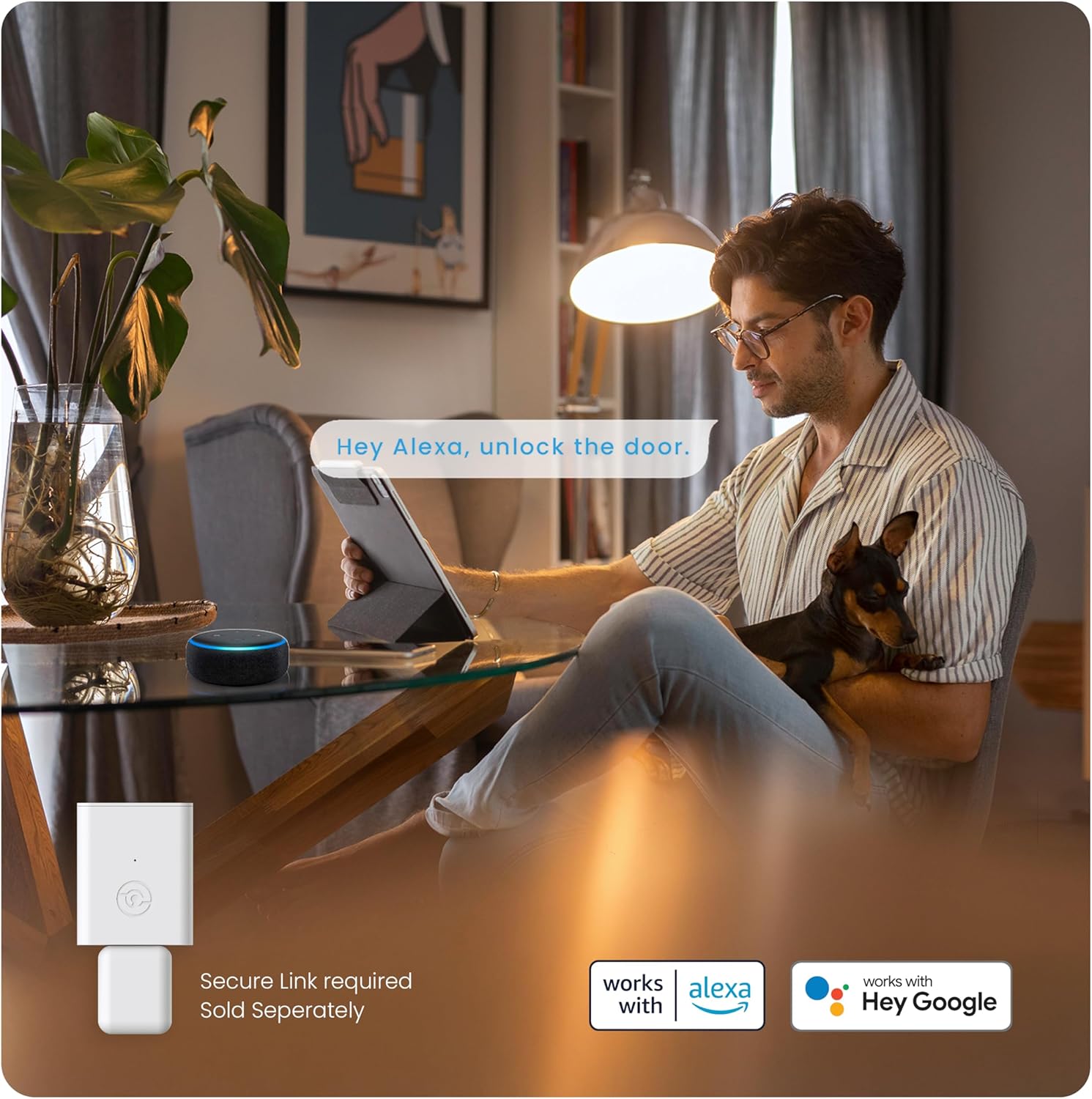
Image: A man relaxing in a living room, interacting with an Alexa device, demonstrating the voice control feature for the Lockly Smart Lock.
Offline Access Codes (OAC)
Generate single-use or limited-use access codes that work offline, without the need for an internet connection or the Lockly app. This is ideal for granting temporary access to guests or service personnel.

Image: A woman looking at her smartphone, receiving a text message with an offline access code, illustrating the convenience of granting access without internet dependency.
eKeys ۽ eBadges
Grant and revoke access to family, friends, and visitors through the Lockly app using eKeys and eBadges. Users can then unlock the door via the app or by using the Scan-to-Open feature.

Image: A composite image showing the Lockly app generating an eBadge and a person using their smartphone to unlock a door, demonstrating the eKeys and eBadges feature.
سار سنڀال
بيٽري مٽائڻ
The Lockly Model 6S operates on 4 AA batteries, providing up to 12 months of battery life. The lock will provide low battery alerts to notify you when replacement is needed. An emergency 9V battery port is available for temporary power if batteries fully deplete.
صفائي ۽ سنڀال
پنهنجي تالي جي ظاهر ۽ ڪارڪردگي کي برقرار رکڻ لاءِ، ٻاهرين سطحن کي نرم، ڊي سان صاف ڪريو.amp ڪپڙو. رگڙيندڙ ڪلينر يا سالوينٽس استعمال ڪرڻ کان پاسو ڪريو جيڪي ختم يا اليڪٽرانڪ حصن کي نقصان پهچائي سگهن ٿا.
مشڪلاتون
- Keypad Not Responding or Fading: Ensure the keypad is clean and free from debris. If exposed to direct sunlight for extended periods, the screen visibility may be affected. Consider repositioning or adding shade if this is a persistent issue.
- بلوٽوٿ ڪنيڪشن جا مسئلا: If the lock struggles to connect to your smartphone via Bluetooth, ensure you are within close proximity to the lock. Restarting the Lockly app or your phone's Bluetooth may resolve the issue.
- تالا مشغول نه ٿيڻ/ الڳ ٿيڻ: Check for any obstructions in the door frame or strike plate. Ensure the batteries are not low or depleted. If the issue persists, verify the installation alignment.
- Difficulty Programming Codes: Refer to the Lockly app or the full digital manual for precise programming steps. Ensure you are following the sequence correctly, especially for the dynamic PIN Genie keypad.
- Wi-Fi Hub Connectivity: If using the optional Wi-Fi hub, ensure it is placed within 30 feet of the lock for optimal signal strength. Verify that the hub is properly connected to your home Wi-Fi network.
For more complex issues, refer to the detailed troubleshooting section in the Lockly app or contact Lockly customer support.
وضاحتون
| خاصيت | تفصيل |
|---|---|
| برانڊ | لڪل |
| ماڊل نالو | 6S |
| شيون ماڊل نمبر | PGD6SSN |
| تالا جو قسم | ڪي پيڊ |
| خاص خصوصيت | Auto-Lock, Keyless |
| مواد | نڪتل |
| رنگ | ستين نڪيل |
| ختم ڪرڻ جو قسم | پاليل |
| شيون طول و عرض L x W x H | 6.69 x 1 x 7 انچ |
| شيءِ جو وزن | 5.85 پائونڊ |
| ڪنيڪشن پروٽوڪول | Bluetooth, Wi-Fi (with optional hub) |
| ڪنٽرول جو طريقو | App, Touch, Voice (with optional hub) |
| تجويز ڪيل استعمال | Home Door, Office Door, Hotel Door |
| بيٽرين جي ضرورت آهي؟ | ها (4x AA، شامل نه آهي) |
وارنٽي ۽ سپورٽ
وارنٽي ڄاڻ
The Lockly Smart Lock Model 6S comes with a limited 1-year warranty covering mechanical, finish, and electronics components. Please retain your proof of purchase for warranty claims.
ڪسٽمر سپورٽ
Lockly provides lifetime 24/7 technical support for all its products. You can reach customer support through phone, email, or live chat for assistance with installation, operation, or troubleshooting.


